Individual 40-55 - 33 -
User guide
n
Home view
Home view
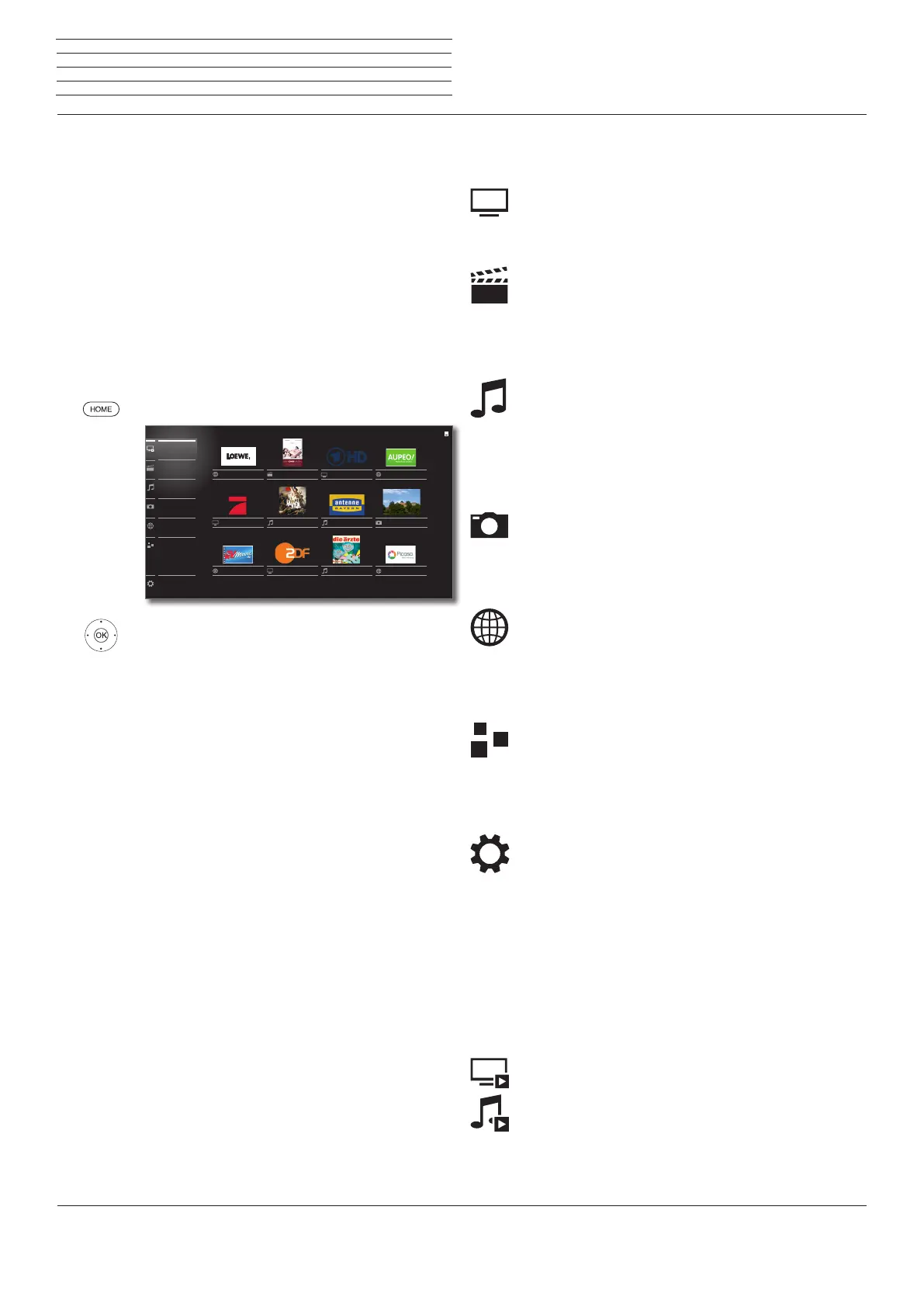
The Home view is the central overview page for all of your TV set‘s
operating modes.
The list of options on the left of Home view gives you access to TV,
Video, Audio/Radio, Photo and Web.
By means of Extras and System settings you have access to more
functions and you can configure your TV set.
On the right side of the screen you find all your favourites (bookmarks)
created in the different operating modes.
The number of selectable items varies depending on the TV equip-
ment, network connection, available media/ media servers and con-
nected appliances.
Call Home view
HOME: Call Home view.
6534 Select menu item / favourite,
OK call.
Loewe
ProSieben
TVMovie.de
KeinOhrHasen
Coldplay/Viva
ZDF
DasErste HD
die ärzte/auch
Franken
Picasa
Antenne
Aupeo
Extras
Web
Photo
Audio/Radio
Video
TV
System settings
Description of the individual sections/functions:
TV: Here you call the TV mode of your TV set.
Further information you find starting from
page 35.
Video: The item Video gives you access to videos
from local (USB, home network) and online
sources.
Further information you find starting from
page 56.
Audio/Radio: With item Audio/Radio you find music
files from your local server(s) and USB
storage media and you access DVB and
Internet radio.
Further information you find starting from
page 65.
Photo: Via menu item Photo you can view photos
from your local media on your TV screen.
Further information you find starting from
page 72.
Web: Here you have access to multimedia content
in the Internet (MediaNet) as well as a high-
quality web browser.
Further information you find starting from
page 75.
Extras: Extras contains additional functions and
setting (e.g., Timer list, CA module).
Further information you find starting from
page 78.
System
settings:
In menu item System settings you find the
configuration menu of the TV set e.g., with
setting for picture, sound, connections or
sound components.
Further information you find starting from
page 86.
Activated operating mode
The respective activated operating mode will be indicated in the list
of options by a small playback symbol in the lower right-hand corner
of the Home symbol.
Examples:
TV mode activated.
Audio player (Audio mode) activated.
In the opened Home view, pressing again on the HOME key brings
you back to the respective active operating mode.














 To Next Page