Individual 40-55 - 58 -
User guide
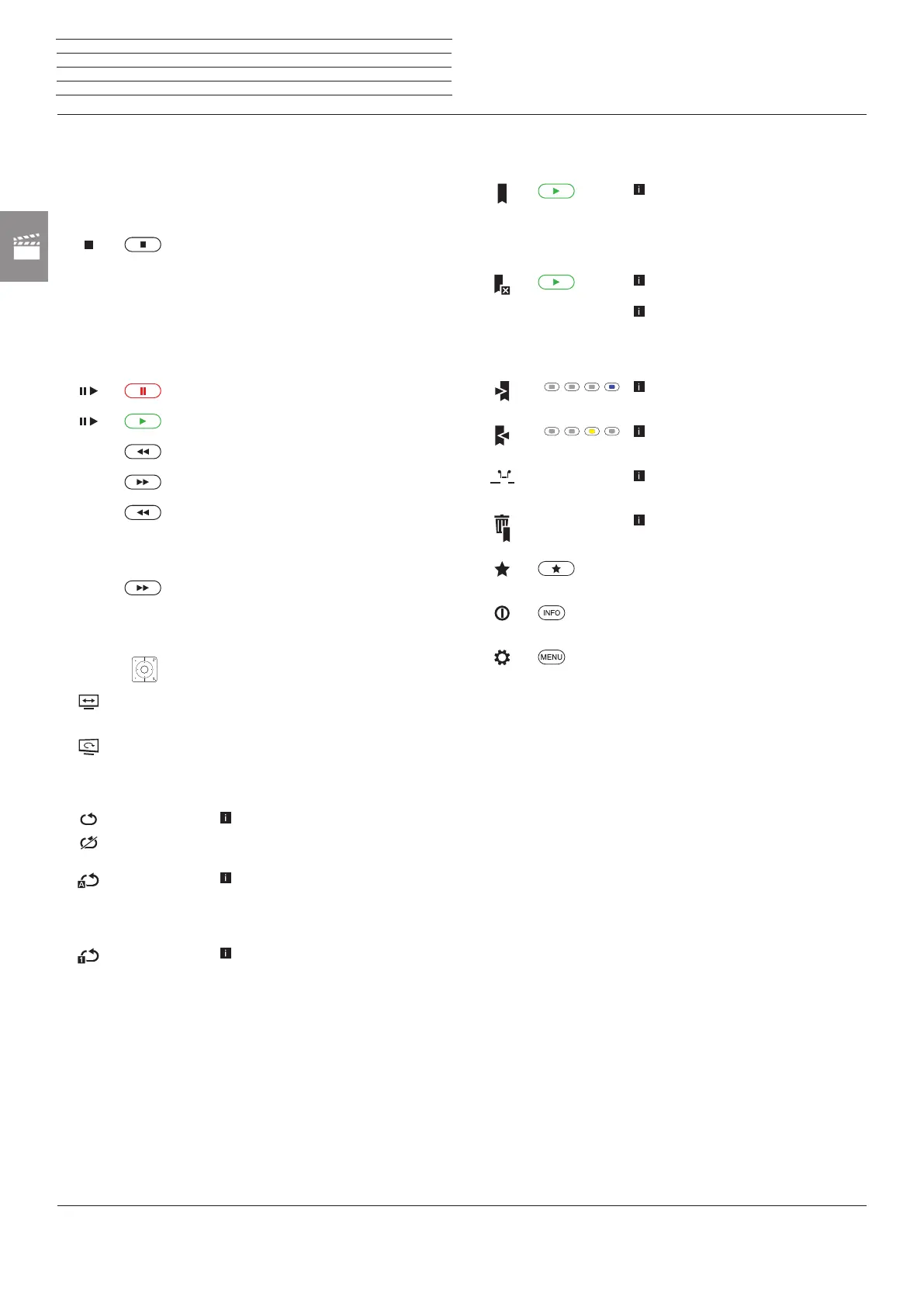
Description of the symbols in the status display for video
playback
Symbol Remote
control key
Description
For playback of videos from
MediaHome:
End playback and return to media
overview.
For time-shift viewing:
End time-shift and return to live picture.
For playback from archive:
End playback and return to DR+ archive.
Stop/continue playback.
short
Continue halted playback.
–
short
Skip backwards.
–
short
Jump forwards.
–
long
Winding backwards.
Selecting again for changing the speed.
Available speeds:
2x, 5x, 10x.
–
long
winding forwards.
Selecting again for changing the speed.
Available speeds:
2x, 5x, 10x.
–
P+ / P–
Select previous / next video.
– Change picture format of the video
playback.
– Rotating the TV set.
See page 43 for further information.
– Skip to desired position in the playback.
–
For playback from DR+ archive:
Activate / deactivate again the repetition
of the currently played archive entry.
–
For playback of videos from USB sto-
rage media or from the home network:
Switch repetition (loop playback) of all
titles of the current directory ON/OFF.
–
For playback of videos from USB sto-
rage media or from the home network:
Switch ON/OFF repetition (loop play-
back) of the current title.
hh:mm
Symbol Remote
control key
Description
long
Only for playback from DR+ archive:
Set bookmark manually.
In case of time-shifted viewing the time-
shifted recording will be converted into
an archive recording.
long
only for playback from DR+ archive:
Delete bookmark manually.
The function is only available when
a manually set bookmark is within
five seconds around the playback
position.
Only for playback from DR+ archive:
Skip to next bookmark.
only for playback from DR+ archive:
Skip to previous bookmark.
–
only for playback from DR+ archive:
Call interval functions.
–
only for playback from DR+ archive:
Call dialogue for deleting bookmarks.
Add currently played video to the favou-
rites in Home view.
Call detailed info on the current play-
back.
Call function list with video settings.
n
Video


 To Next Page
 Loading...










