Individual 40-55 - 61 -
User guide
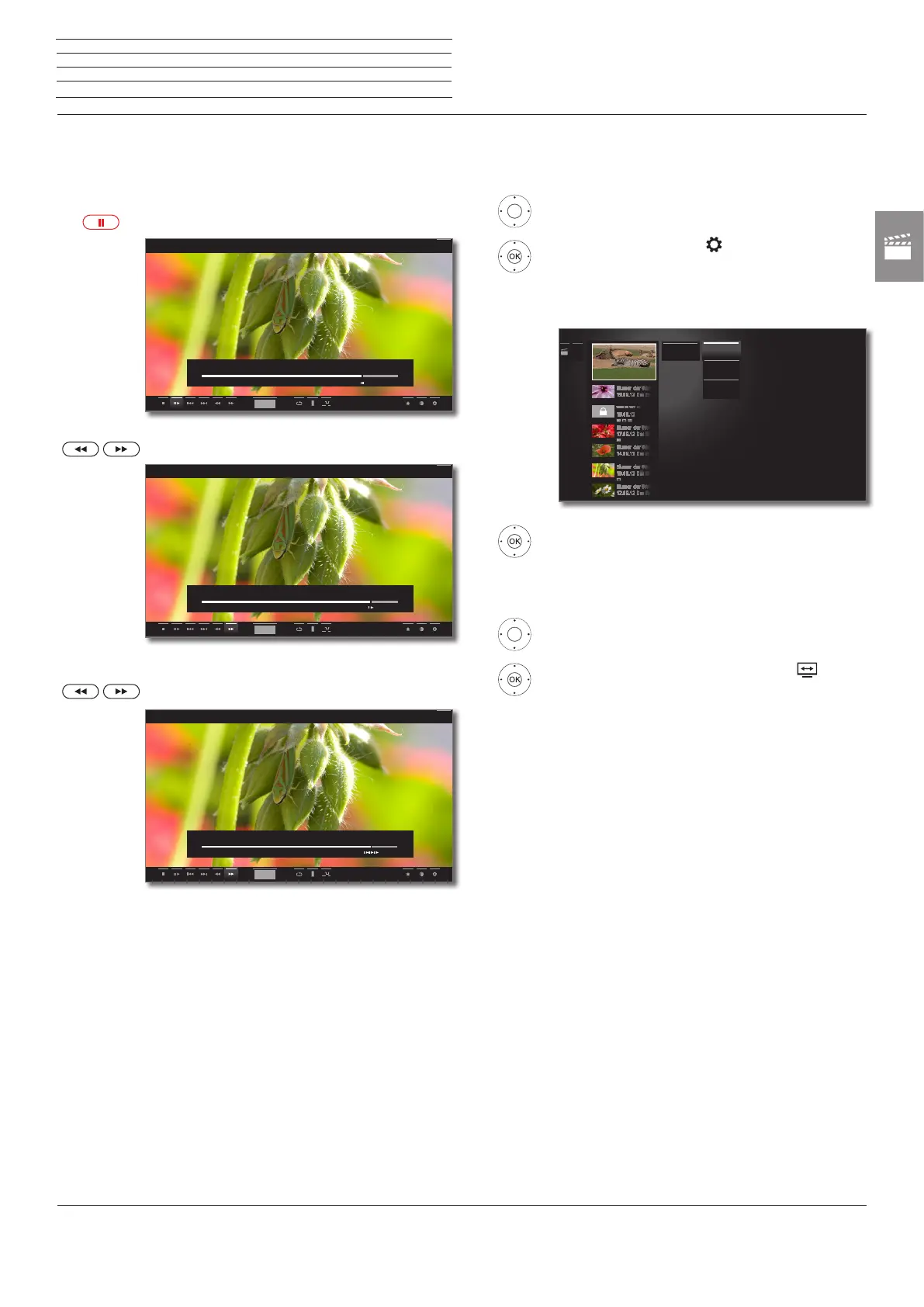
Slow motion
At an active pause (freeze frame) you can select from four slow mo-
tion speeds (for wind/rewind). There is no sound during slow motion
replay. When viewing HDTV slow motion backwards is not possible.
PAUSE key: Switch to freeze picture.
Press 7 or 8 briefly.
Increase speed:
Press 7 or 8 several times briefly.
The speed increases every time you press the button
until eventually switching back to the initial speed.
hh:mm
00:00
38:42
45:00
Back
00:00
38:42
45:00
hh:mm
Back
00:00
38:44
45:00
hh:mm
Back
Select language/sound
Videos, especially those recorded from TV broadcasts, can contain
several sound tracks. Select sound track/language:
56 Show status bar.
6534 mark Settings ,
OK Call settings.
6 5 mark Language/sound,
OK call Language/Sound selection.
56 mark desired sound or desired language,
OK select sound track.
Changing the picture format
56 Show status bar.
6534 Mark Change Picture format ,
OK set picture format.
You can choose between small or full image settings.
Small image setting shows the video close to the
original resolution. The video status bar is perma-
nently shown below the image.
The full image setting enlarges the image to fit the
entire screen. The status bar can be set to visible or
hidden.
......
Dolby Digital
2.0
Dolby Digital
2.0
Dolby Digital
5.1
Dolby Digital
5.1
Language /
sound
Stereo
n
Video




 To Next Page