User Manual
74/183
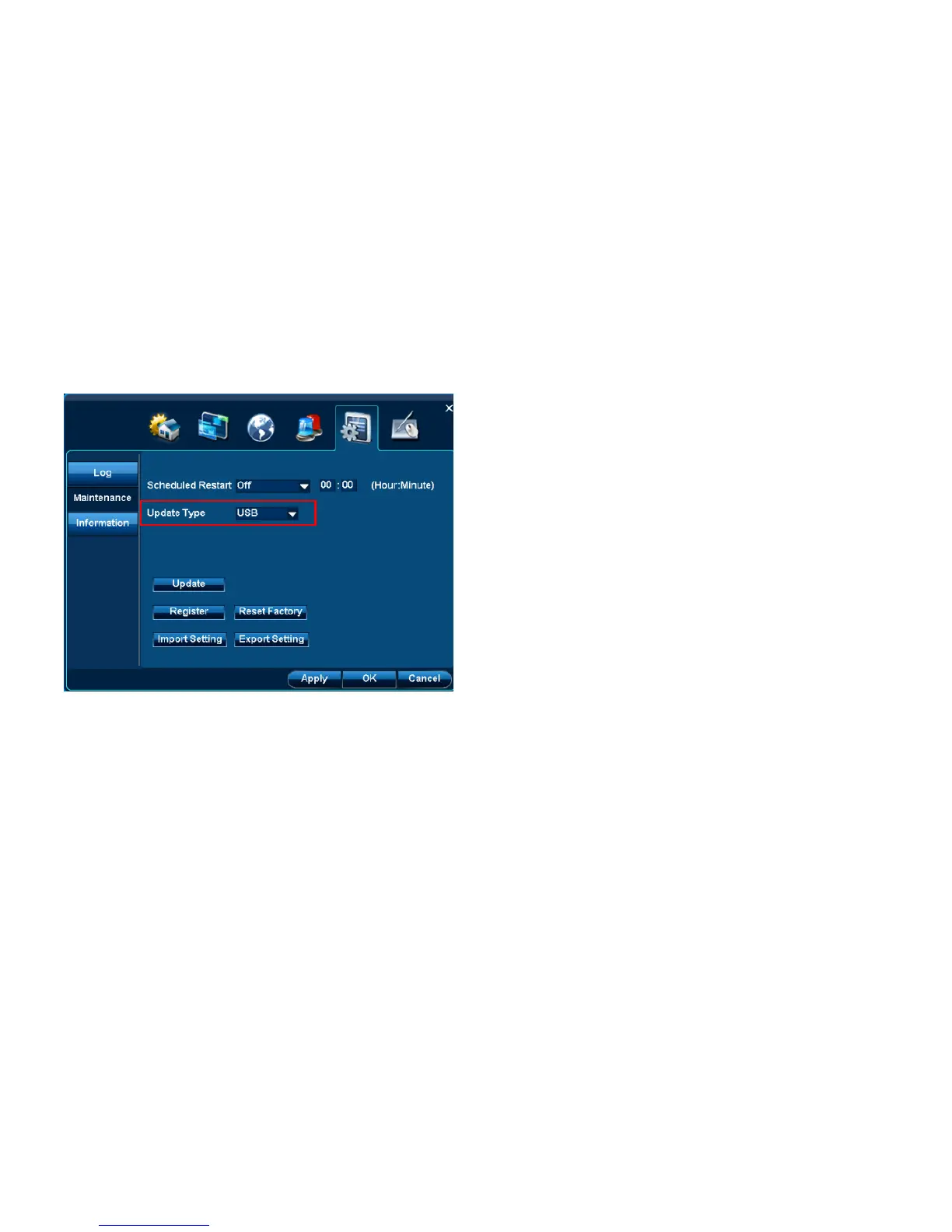
4.6.2.2.1 USB update
Step:
1. Put updated files at FAT32 format U-Disk. These two files should be placed at root directory at U-Disk. Then insert the U-Disk into DVR‟s
USB port.
2. Select USB at “Update type”.
3. Click “Update” button to finish this work.
Note: After update is finished, it will automatically reboot the DVR. When the DVR is started, it is the latest version.
4.6.2.3 Reset factory
Location: System Setup |Maintenance| Reset factory



 To Next Page