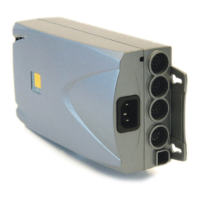
User Manual
LogicS-2 / LogicS-3
Page 2/33
Contents
1. Preface.................................................................................................................................... 4
1.1. Appropriate Operation................................................................................................ 4
1.2. Functionality LogicS-2 / LogicS-3............................................................................. 4
1.3. Audience and Previous Knowledge ........................................................................... 5
1.4. Performance Differences LogicS-2 / LogicS-3.......................................................... 5
1.5. Safety Instruction Symbols ........................................................................................ 5
1.6. ISP – Intelligent System Protection ........................................................................... 6
1.7. Package Contents ....................................................................................................... 7
1.8. Unpacking ..................................................................................................................7
1.9. Safety Instructions...................................................................................................... 8
1.9.1. General Safety Instructions ................................................................................ 8
1.9.2. Important Service Note ...................................................................................... 9
2. Mounting Instructions LogicS.............................................................................................. 10
3. Initial Operation ................................................................................................................... 13
3.1 LogicS Interfaces...................................................................................................... 13
3.2 Initial Operation Procedure ...................................................................................... 14
3.2.1. Connect Drives................................................................................................. 14
3.2.2. Connect Handset .............................................................................................. 14
3.2.3. Connect Optional Components ........................................................................ 14
3.2.4. Connect Mains Supply ..................................................................................... 14
3.2.5. System Configuration (Example)..................................................................... 15
4. Operating the LogicS Control Box....................................................................................... 16
4.1 Basic Functionality................................................................................................... 16
4.1.1. Desk Upwards .................................................................................................. 16
4.1.2. Desk Downwards ............................................................................................. 16
4.2 Advanced Functionality ........................................................................................... 17
4.2.1. Saving a Position.............................................................................................. 17
4.2.2. Moving to a Saved Position ............................................................................. 18
4.2.3. Change Displayed Height................................................................................. 19
4.2.4. Manual Reset.................................................................................................... 19
4.2.5. Activation of the End Position Alignment Procedure...................................... 20
4.2.6. End Position Alignment ................................................................................... 20
4.3 Software-dependent Functions................................................................................. 22
4.3.1. Reset after Power On........................................................................................ 22
4.3.2. Low Speed Area ............................................................................................... 22
4.3.3. Auto Move........................................................................................................ 22
4.3.4. Flexible Desk Positions.................................................................................... 22
4.3.5. PIN Code .......................................................................................................... 23
4.3.6. Safety Area....................................................................................................... 24
4.3.7. Plug Detection .................................................................................................. 24
4.3.8. Drive Back........................................................................................................ 24
4.3.9. Auto Detect Number of Drives ........................................................................ 25
4.3.10. Duty Cycle Monitoring .................................................................................... 25
5. Technical Data...................................................................................................................... 26
6. Appendix .............................................................................................................................. 29
6.1 Possible Troubles and Solutions .............................................................................. 29
6.2 Displayed Error Messages........................................................................................ 30
6.3 Optional Accessories................................................................................................ 31
6.4 Drill Template .......................................................................................................... 32



 To Next Page