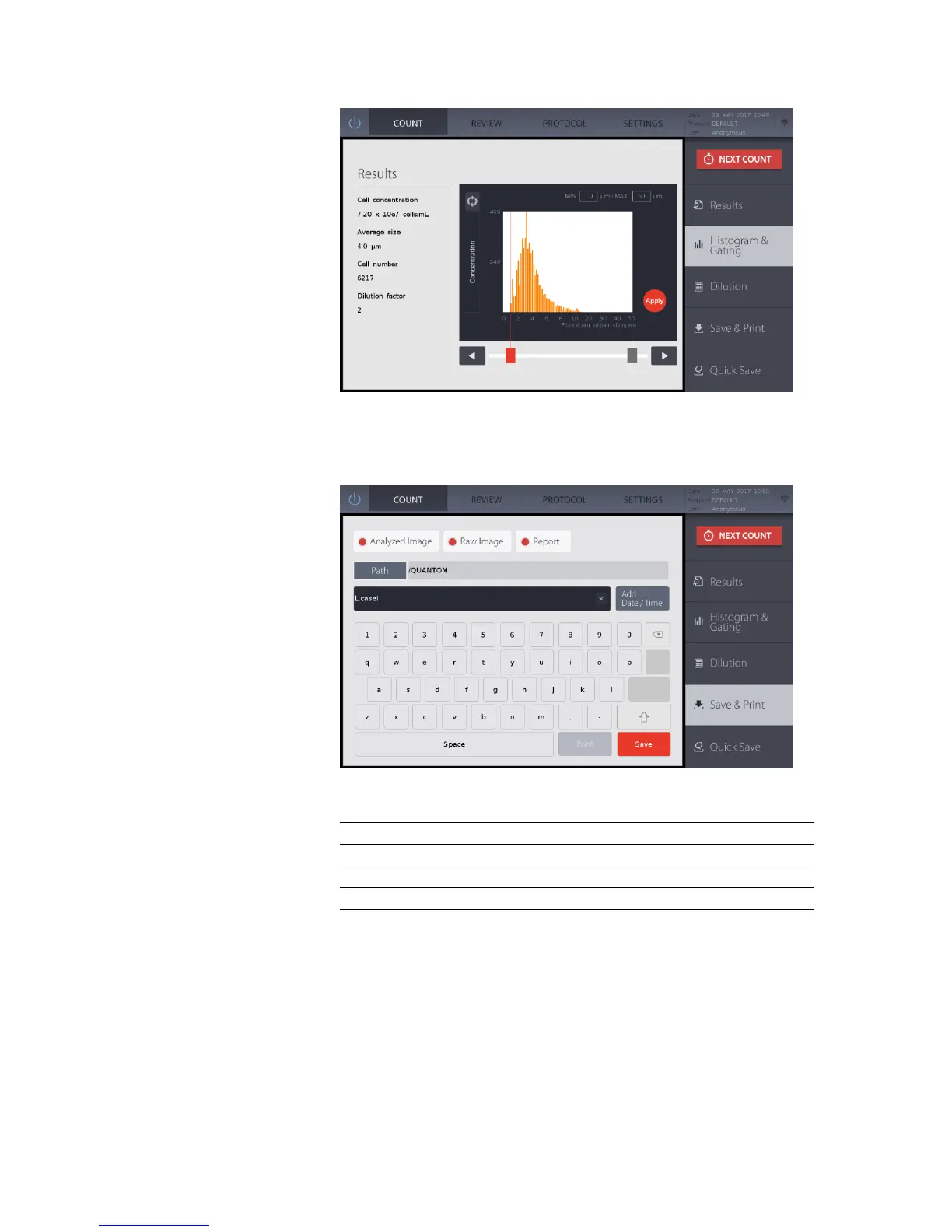
Press Dilution to open the Dilution Calculator.
Enter the values for the final concentration or volume needed and press Calculate. The
results will appear in the bottom black box.
Press Save to open the save window.
Select the desired saving options. Default saving preferences may be set in Settings: Save
Options (pg. 18).
Report with data, images, and histograms
Press Path to select where files should be saved.
Using the onscreen keyboard, name the count as desired. Add the date and time to the file
name by pressing Add Date/Time.
Press the red Save button. A folder of the same name will be created to contain all the files
generated. The files will be saved to the designated file path.


 To Next Page