Prepare samples for total cell counting or viable cell counting.
Staining for total cell counts
Prepare a bacterial suspension according to standard procedures. Mix gently but
thoroughly to ensure that the suspension is homogenous.
Mix 10 µL sample with 1 µL QUANTOM
™
Total Cell Staining Dye and 1 µL
QUANTOM
™
Total Cell Staining Enhancer. For most cells, proceed directly to the next
step. For some cells, it may be necessary to increase incubation time from 1-30 minutes.
Longer incubation times can increase staining but also lead to non-specific staining and
cell aggregation.
Staining for viable cell counts
Prepare a bacterial suspension according to standard procedures. Use the QUANTOM
™
Viable Cell Dilution Buffer to wash and dilute cell suspensions as necessary. PBS or water
will decrease labeling efficiency. Culture media or sera may have esterase activity and lead
to decreased staining efficiency and high background fluorescence.
Mix 10 µL sample with 2 µL solubilized QUANTOM
™
Viable Cell Staining Dye. Incubate
at 37°C for 20 minutes to 3 hours in the dark. 30 minutes is recommended for most
bacterial cells.
Add 8 µL QUANTOM
™
Cell Loading Buffer I to a stained cell mixture. Mix gently so as
not to create bubbles, which may affect counting results.
Prepare a new QUANTOM
™
M50 Cell Counting Slide. Hold the slide by its edges and the
pipette at a <30° angle to the slide. Load 5-6 µL of the cell sample into a sample chamber.
Due to the viscosity of the loading buffer, it will take 10-30 seconds to completely fill the
sample chamber. Be careful not to over-load or under-load the sample chamber.
Put the slide into the QUANTOM
™
Centrifuge with the slide sample port facing the rotor
center. Make sure the centrifuge rotor is balanced symmetrically. Centrifuge at 300 RCF
for 10 minutes. However, make sure to balance the centrifuge.
Important! Handle the slide carefully after centrifugation and proceed to the
next step immediately to prevent sample disruption.
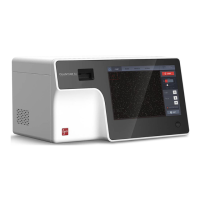
Counting with the QUANTOM Tx
™
To insert the slide into the instrument, push the slide face up and sample-side first into the
slide port of QUANTOM Tx
™
. The QUANTOM Tx
™
can only analyze the inserted
chamber. Press INSERT. The slide port will move into the instrument.
To remove the slide from the instrument, press EJECT in the COUNT screen. The slide
will eject automatically upon completing a count.
The QUANTOM Tx
™
will automatically turn on the light and focus in on cells upon slide
insertion. This can be changed in the Settings: Counting Options (pg. 17).


 To Next Page