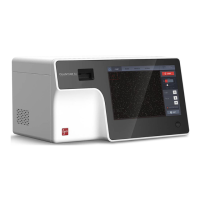
To turn on the QUANTOM Tx
™
, push the power button below the touchscreen for at least
three seconds.
To turn off the QUANTOM Tx
™
, press the power icon in the menu bar or push the power
button for at least three seconds. Turn off the QUANTOM Tx
™
at the end of each day.
Safety
Turn the QUANTOM Tx
™
off and disconnect the power cable before cleaning. Make sure
that liquids do not enter any part of the instrument during cleaning. Do not use abrasive
cloths or bleach solutions as this can cause topical damage.
Surfaces
Clean the surfaces of the instrument with a soft cloth dampened with distilled water. Wipe
dry immediately. Do not pour or spray liquids directly onto the instrument. Do not wet
electrical wires or connections in order to avoid electrical shock or damage.
Touchscreen
Clean the touchscreen with a soft cloth lightly dampened with an authorized LCD
cleansing detergent. Wipe dry immediately. Do not exert excessive force or pressure as this
can damage the touchscreen.


 To Next Page