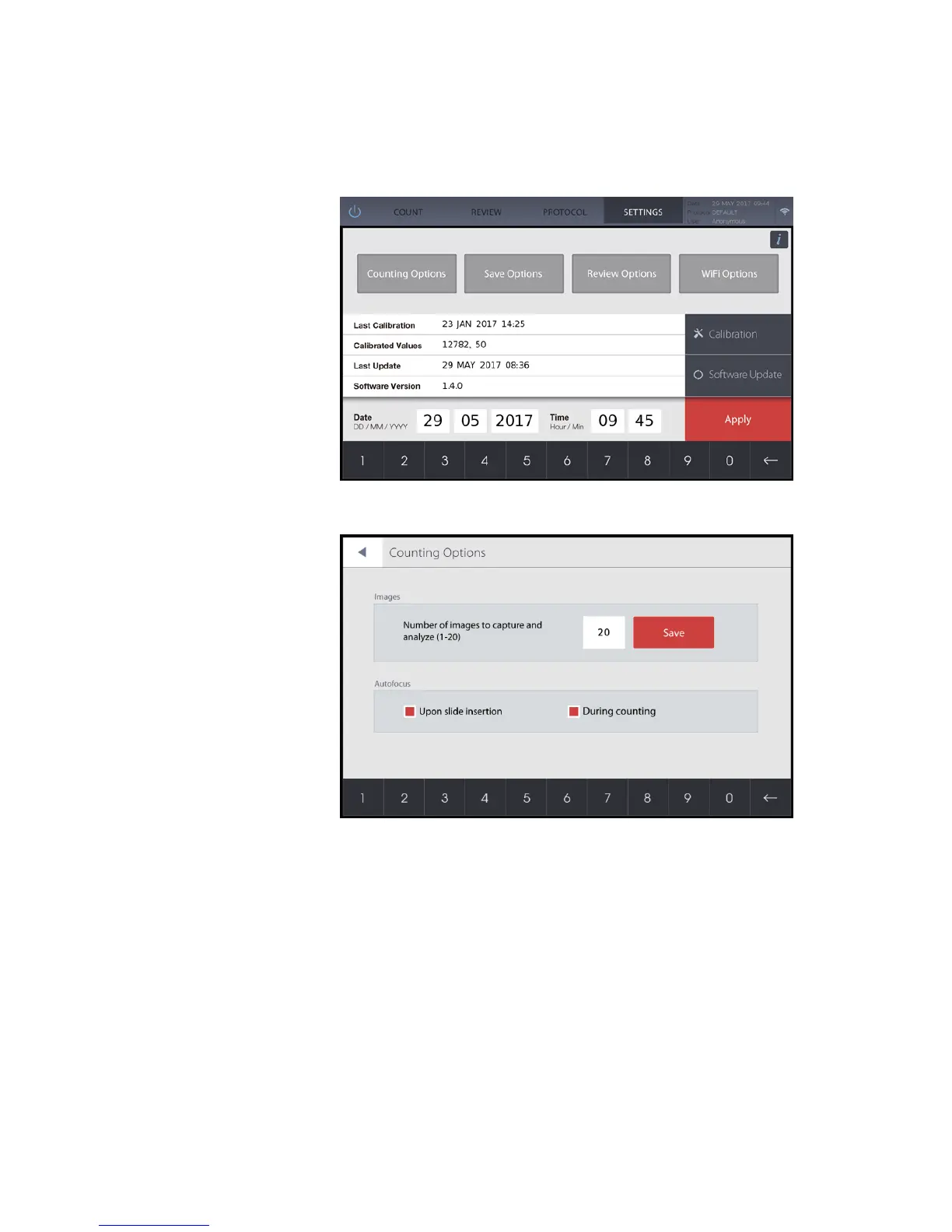
The QUANTOM Tx
™
is preset at the time of manufacture and may be used immediately.
Users may adjust the settings of the QUANTOM Tx
™
as desired.
Images
Enter a value between 1-20 to set the number of images to be acquired and analyzed for
each count. Counting the cells in 20 images is the equivalent of 0.2 µL. Press Save.
Autofocusing
The autofocusing options allow users when the autofocusing function goes into effect.
Upon slide insertion
Select to autofocus when the slide has been inserted. The light will turn on and
cells will come into focus automatically.
During counting
Select for the QUANTOM Tx
™
to readjust the focus for each field of view
during image capture and analysis to ensure sensitive cell detection and accurate
counting. The QUANTOM Tx
™
moves the counting slide to capture multiple
images along the sample chamber.
Users may choose to manually focus upon slide insertion to view cells or prior to counting
and turn off one or both options.


 To Next Page