152 LogTag Analyzer User Guide (2.0)
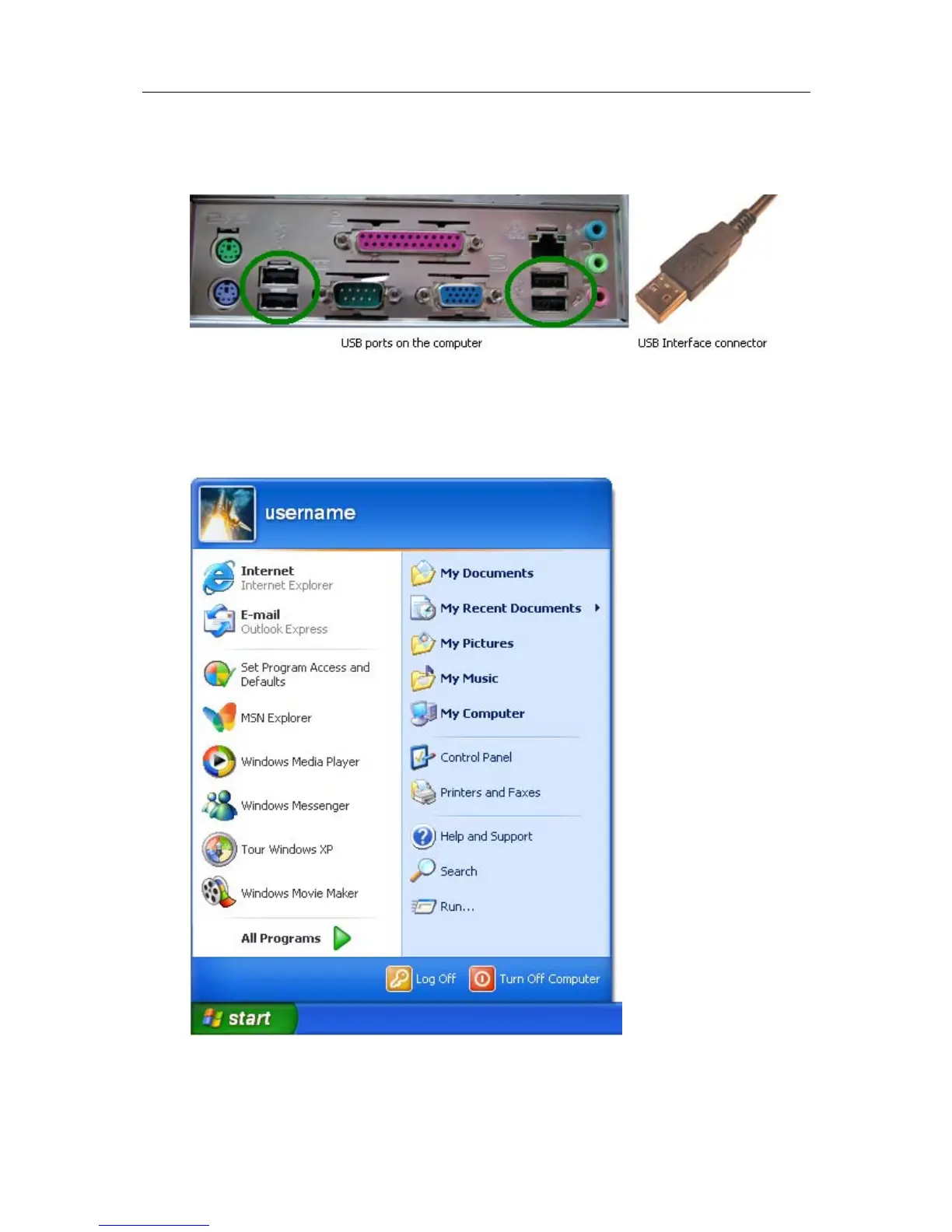
1 Providing the LogTag Analyzer software has been already installed, connect the USB
Interface Cradle to the computer by plugging the Interface into an available USB
socket. USB sockets are typically located at the rear of the computer.
2 Open the "Control Panel". This can be done by using the mouse to click on the
Windows "Start" button, typically located in the bottom left of the screen, to open the
Start menu. Once the "Start" button has been clicked, you will see a menu appear.
3 If your menu looks similar to the following picture, click on the visible "Control Panel"
item.



 To Next Page