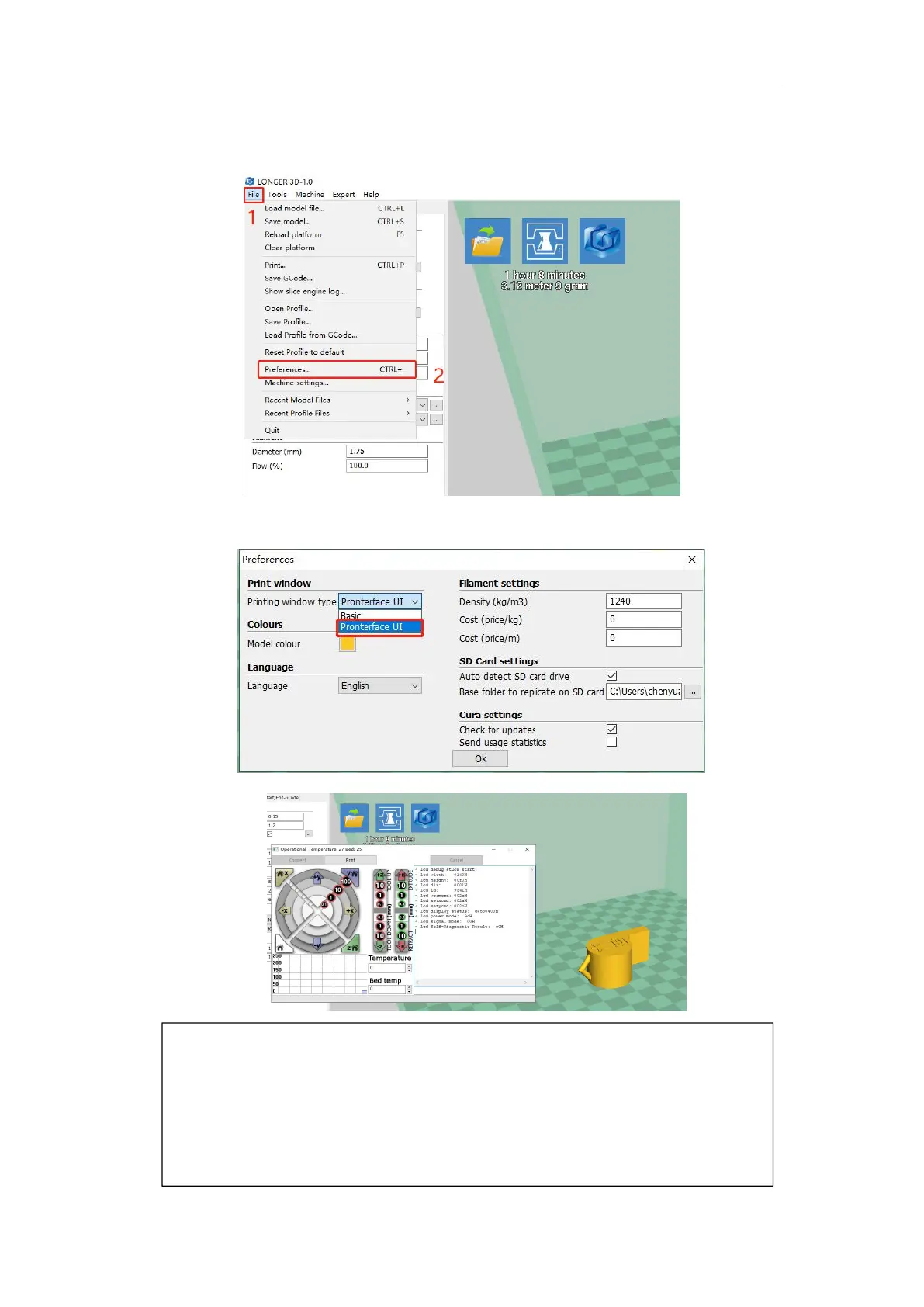
If you want to print a more professional page online, you can set it by the following
steps. Select file in the first step, select parameter settings in the second step, and
change the print window settings in the third step to professional. Then start printing the
page online and it will become a professional page, you can send G codes, you can
control the movement of each axis. If non-professionals use it with caution, it is generally
not recommended.



 To Next Page