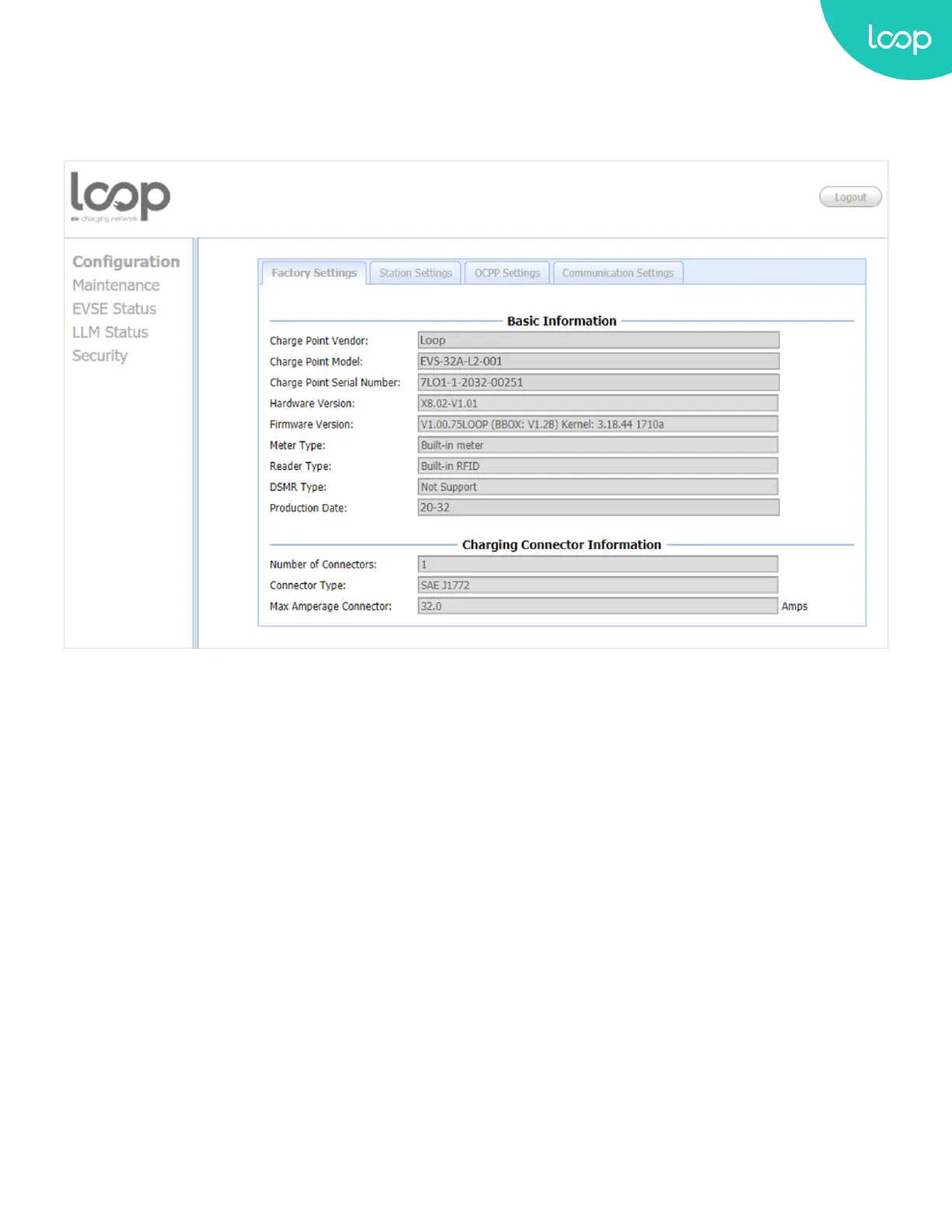
3.7.B. Conguration Menu
When you choose the Conguration menu, a sub menu will appear:
+ The “Factory Settings” tab is used to display the information of the Loop EV-Flex EVSE.
+ The “Station Settings” tab is used to set up the conguration regarding to the Loop EV-Flex EVSE itself.
+ The “OCPP Settings” tab is used to set up the custom properties for uses in OCPP 1.6 services.
+ The “Communication Settings” tab is used to set up the network connection and load management.
25
Loop EV-Flex
TM
EVSE
EVS-32A-L2-001 (R-Model)
v.20.9.4
www.evLoop.io


 To Next Page