41
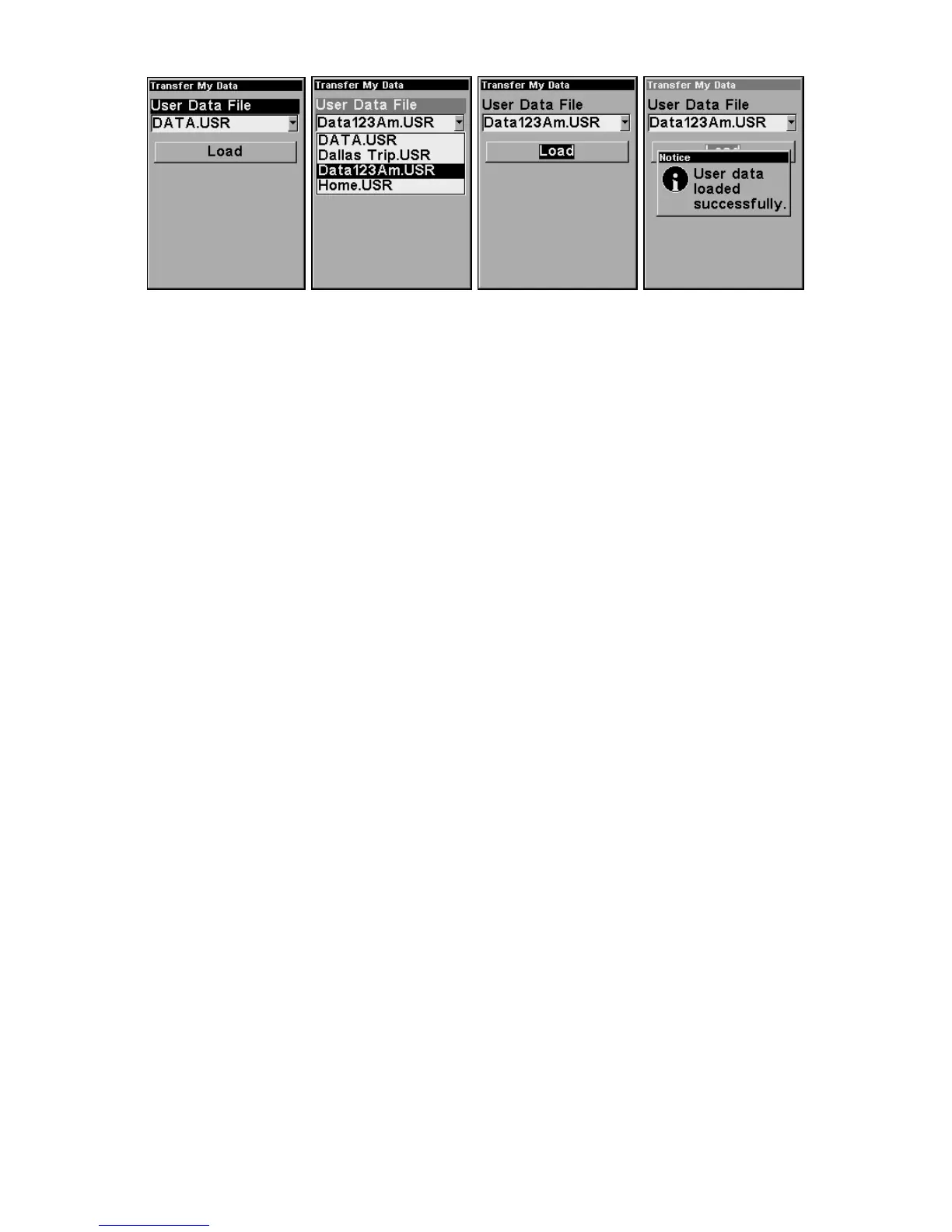
These figures (left to right) show the menu sequence for loading a GPS
Data File from an MMC into the iFINDER's memory.
Switch to Advanced Mode
To leave Easy Mode and switch to Advanced Mode:
1. Press
MENU|↓ to ADVANCED MODE|ENT.
2. A prompt will appear requesting confirmation.
3. Press
←|ENT and the unit switches to Advanced Mode.
Switch Back to Easy Mode from Advanced Mode
To leave Advanced Mode and switch back to Easy Mode:
1. Press
MENU|MENU|↓ to EASY MODE|ENT.
2. A prompt will appear requesting confirmation.
3. Press ←|
ENT and the unit switches to Easy Mode.








 To Next Page