46
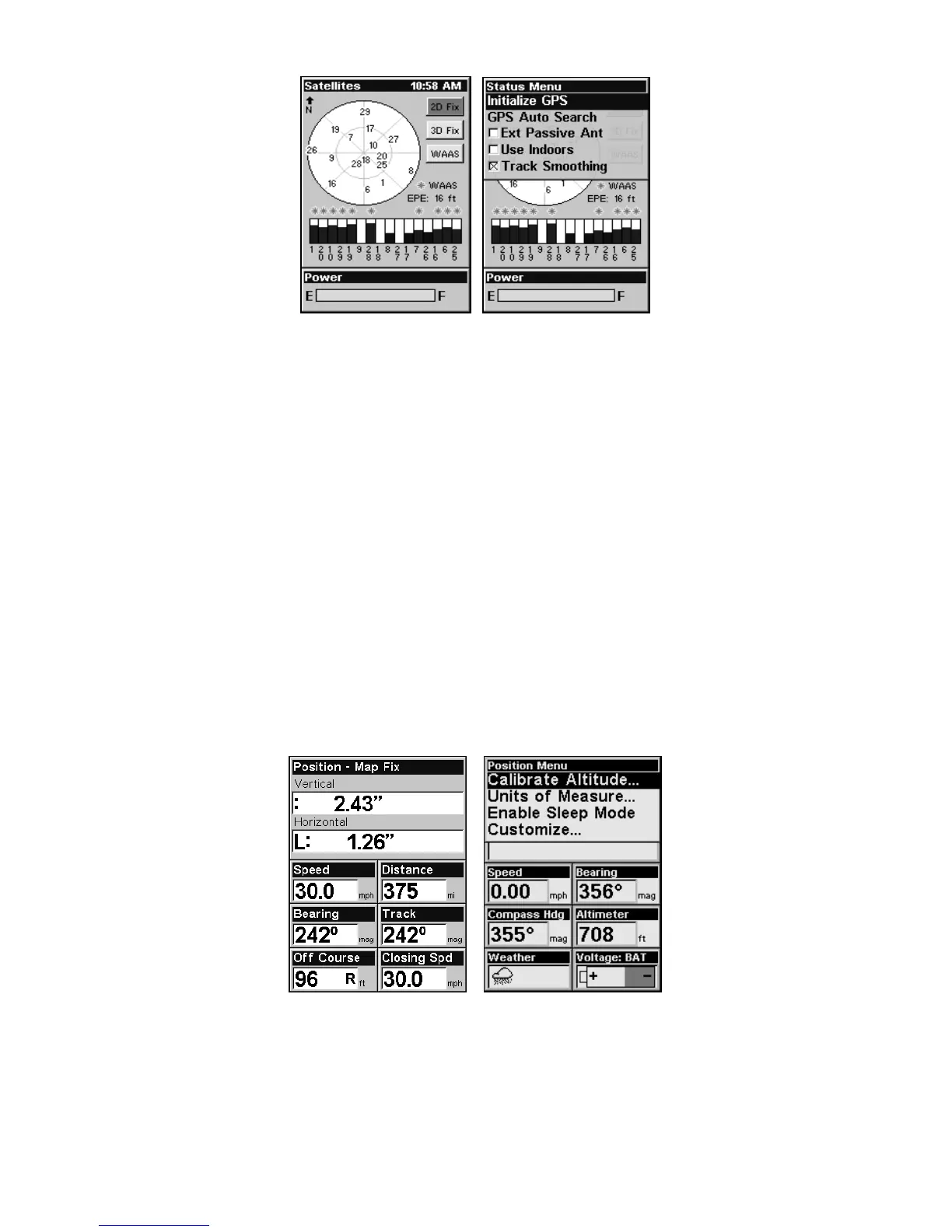
Satellite Status Page (left) with Satellite Status Menu (right).
Status Menu
The Satellite Status Menu allows you to set GPS options such as Track
Smoothing, GPS Auto Search and Use Indoors.
Digital Data Page
This page provides detailed information on the position of the
iFINDER's cursor. From this page, you can determine your latitude,
longitude, altitude, travel time, speed and other useful information
about your position and trip.
1. To get to the Digital Data Page press
PAGES repeatedly until it ap-
pears on the screen.
2. To change the information in the top window, use the ↓ ↑ keys to
scroll through one of three options: Position, Altimeter History and
Pressure History.
3. To get to Digital Data Page menu press
MENU when the Digital Data
page is on the main display.
Digital Data page (left) with the Digital Data Menu (right).
Digital Data Menu
The Digital Data Menu allows you to change units of measure and to
customize the digital data boxes with the data most important to you.








 To Next Page