Chap. 6 Analog I/O Module (XBF-AH04A)
(2) Usage of [Special Module Monitor]
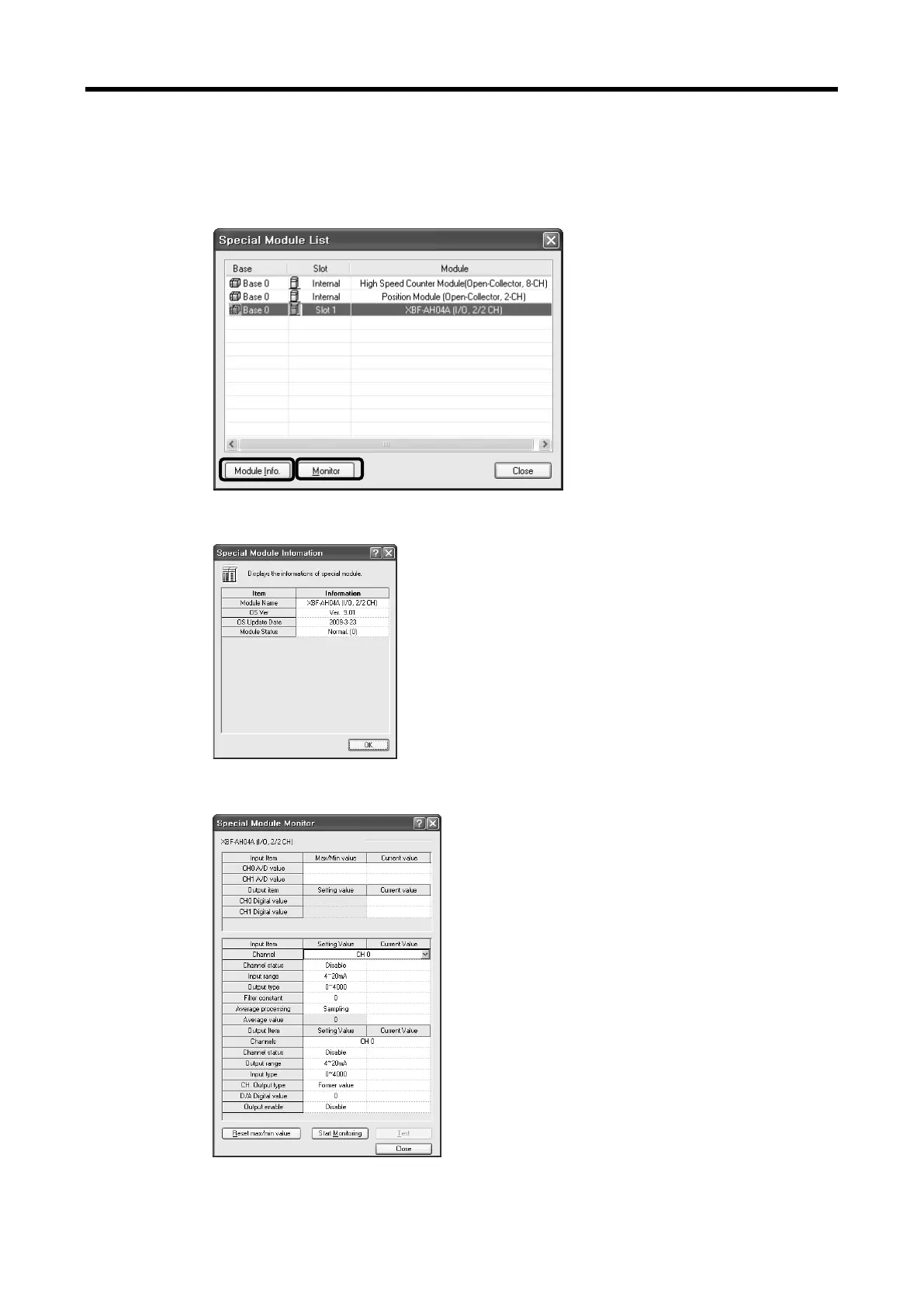
(a) With the XG5000 in connection (online) with the base unit of PLC, select [Monitor] ->
[Special Module Monitor]. The Select Special Module window shown below will appear
showing the type of the special modules and base/slot information. In the list dialog, the
modules present in the PLC system are displayed.
(b) In the above window, select the special module and click [Module Info.] to see the
information window below.
(c) Click the [Monitor] button in the “Special Module” window. The “Special Module Monitor’
window will appear as shown below.
6 - 25



 To Next Page