13.3. Control of the Set Point Value Program
When the sPmd parameter is set on prg, the controller con-
trols the object in compliance with the set point value changing in time acc.
to the given program. Before starting the control with the changeable set
point value, one must select the required program (parameter /prg).
To start the program, one must press
and ,
push-buttons when the inscription stop or End appears on the lower
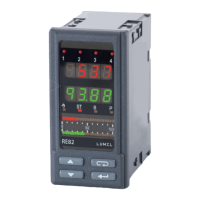
display (fi g. 27).
The lighted dot in the right corner of the lower display, means that the
programming control is lasting. During the program duration, one can
display parameters of the realized program, i.e. program status, pro-
gram number, number of the operating segment, the number of cycles
which still remains to carry out, time which goes by in the segment, time
which remained to the end of the segment, time which remained to the
program end.
After fi nishing the program the dot is gone out, or the program is rene-
wed, if the number of the program repetition Cy/n is higher than 1.
After fi nishing the control, auxiliary outputs are in the state defi ned
by parameters – output state for the segment set as the program end.
When the parameter hold (locking in the program) is set on lo, Hi
or band and the locking value hldu in the operating segment is higher
than zero then, the size of the control deviation is controlled (set point
value minus measured value). For hold=lo the locking is active, when
the measured value is below the set point value diminished by the lo-
cking value. For hold=Hi the locking is active, when the measured
value exceeds the set point value by the locking value. For Hold=bAnd
the locking is active, as for the upper and lower locking. If the locking
is active then, the counting of the set point value is interrupted, and the
dot in the right corner is fl ickering. The controller controls acc. to the last
calculated set point value.


 To Next Page
 Loading...
