www.mabit.pl
info@mabit.pl
5.2.2 Using a magnet
Hook with magnet enables fixing the device anywhere on magnetic steel.
The magnet is sufficiently strong to easily hold SmartControl.
To remove it, just pull SmartControl from the side of the cable.
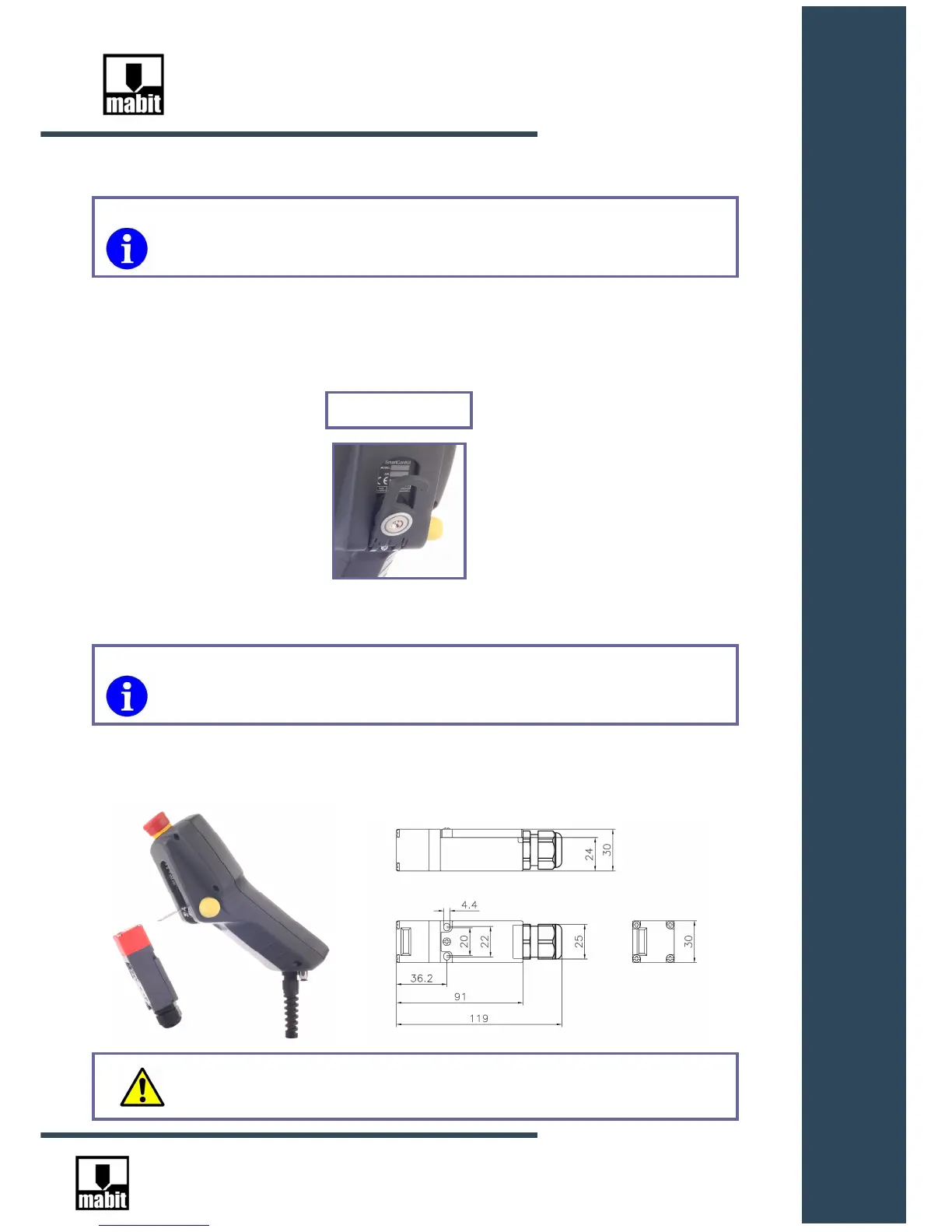
5.2.3 Using automatic machine work mode switch SC5-AUT
SC5-AUT switch enables automatic conversion to manual mode after removing SmartControl
from the switch ( it is then necessary to use the key allowing connection of drives – see Section
4.3.2 ).
Applies to models: SC5-R-E-M, SC5-R-N-M, SC5-G-E-M, SC5-G-N-M
SC5-R-E-M-ENC, SC5-R-N-M-ENC, SC5-G-E-M-ENC, SC5-G-N-M-ENC
Hook with magnet
Applies to models: SC5-R-E-A, SC5-G-E-A, SC5-R-E-A-ENC, SC5-G-E-A-ENC
WARNING: SC5-AUT switch must be fixed outside the danger zone!



 To Next Page