www.mabit.pl
info@mabit.pl
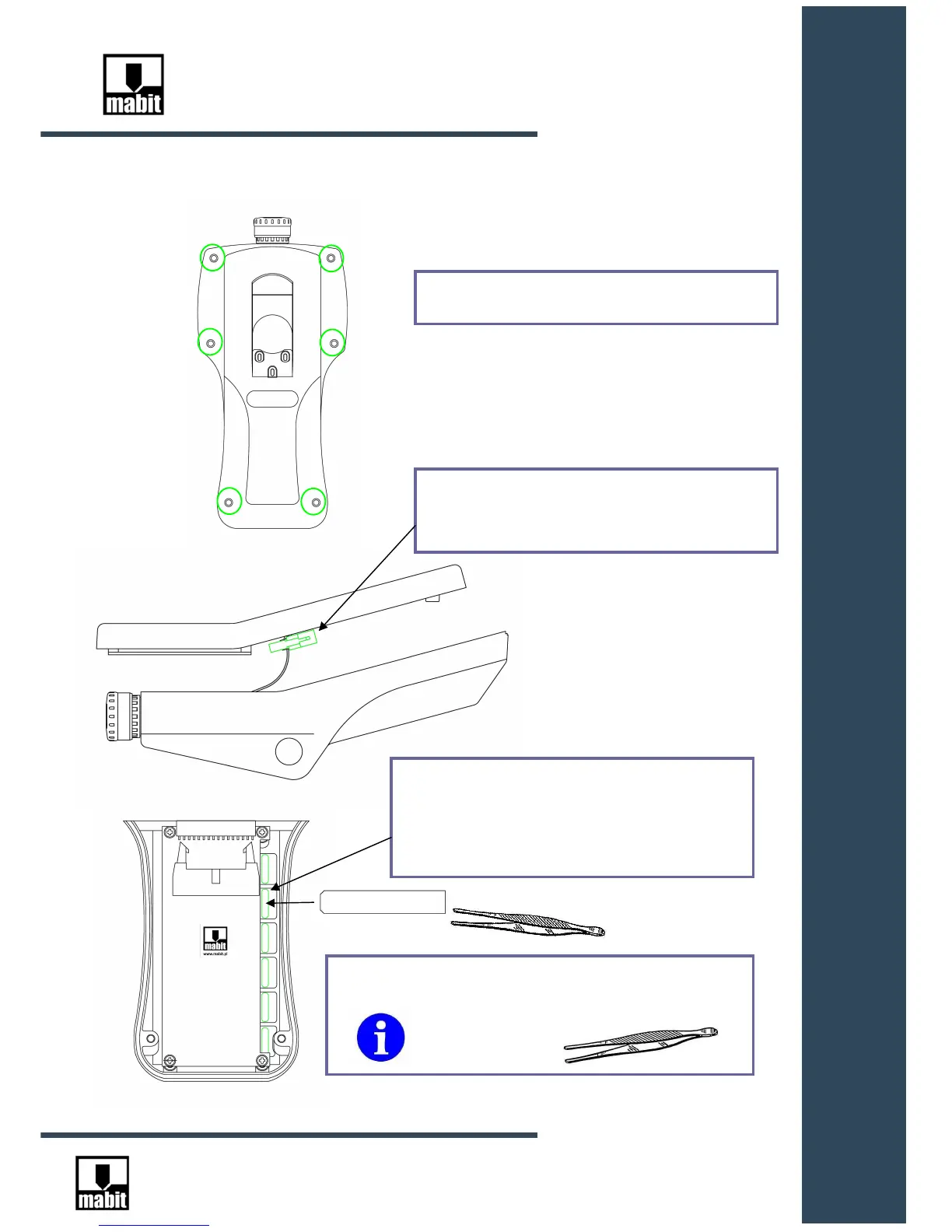
5.5. Keyboard – individual keyboard labels – assembly
In order to get access to the keyboard, follow the steps:
1. Unscrew 6 screws located at the bottom of
Insert the labeled strips in the slots from the
inside of the upper casing, printed side to the
keyboard. Grab the strip with tweezers as
close to the keyboard slot as possible and
slightly move the strip up-down.
It is necessary to use tweezers to insert
the strips!



 To Next Page