147762 10 Revision C
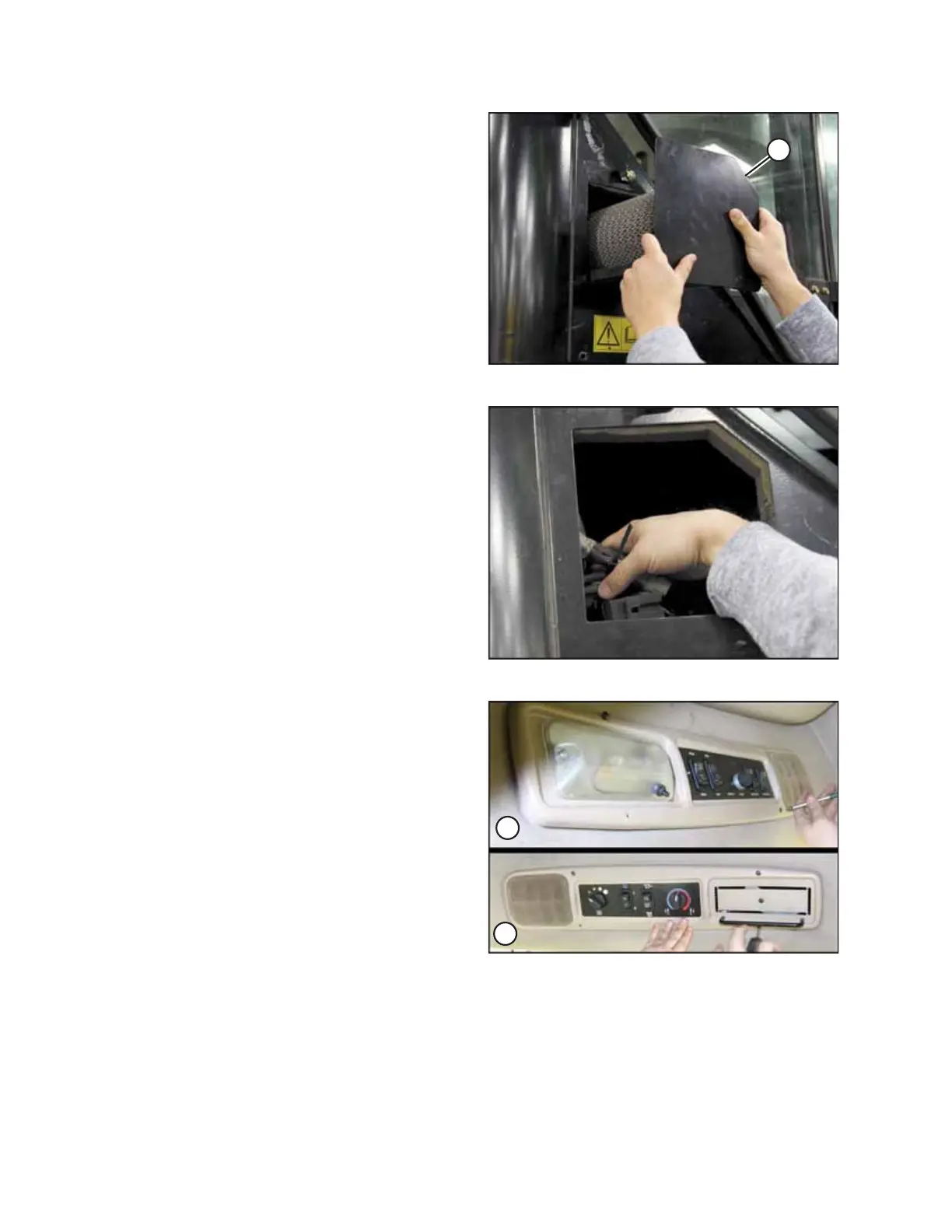
Figure 3.3: Air Filter Pan and Filter
2. Remove the fresh air filter pan (A) and filter to reveal an
opening to the cab post. Retain for reinstallation.
Figure 3.4: Opening in Right Cab Post
3. Move wiring connections out of the way to make it easier
to feed the new auxiliary lighting roof harness through the
cab post.
Figure 3.5: Headliner Switch Panels
A - Left Switch Panel B - Right Switch Panel
4. Remove the screws attaching the left and right headliner
switch panels to the headliner. Plug connections can remain
intact and the switch panels can be left hanging. Retain
screws for reassembly.
INSTALLATION INSTRUCTIONS



 To Next Page