147762 20 Revision C
3.3 Installing Fuse Box Decals and Breaker
The kit contains four decals and one breaker. To install, follow these steps:
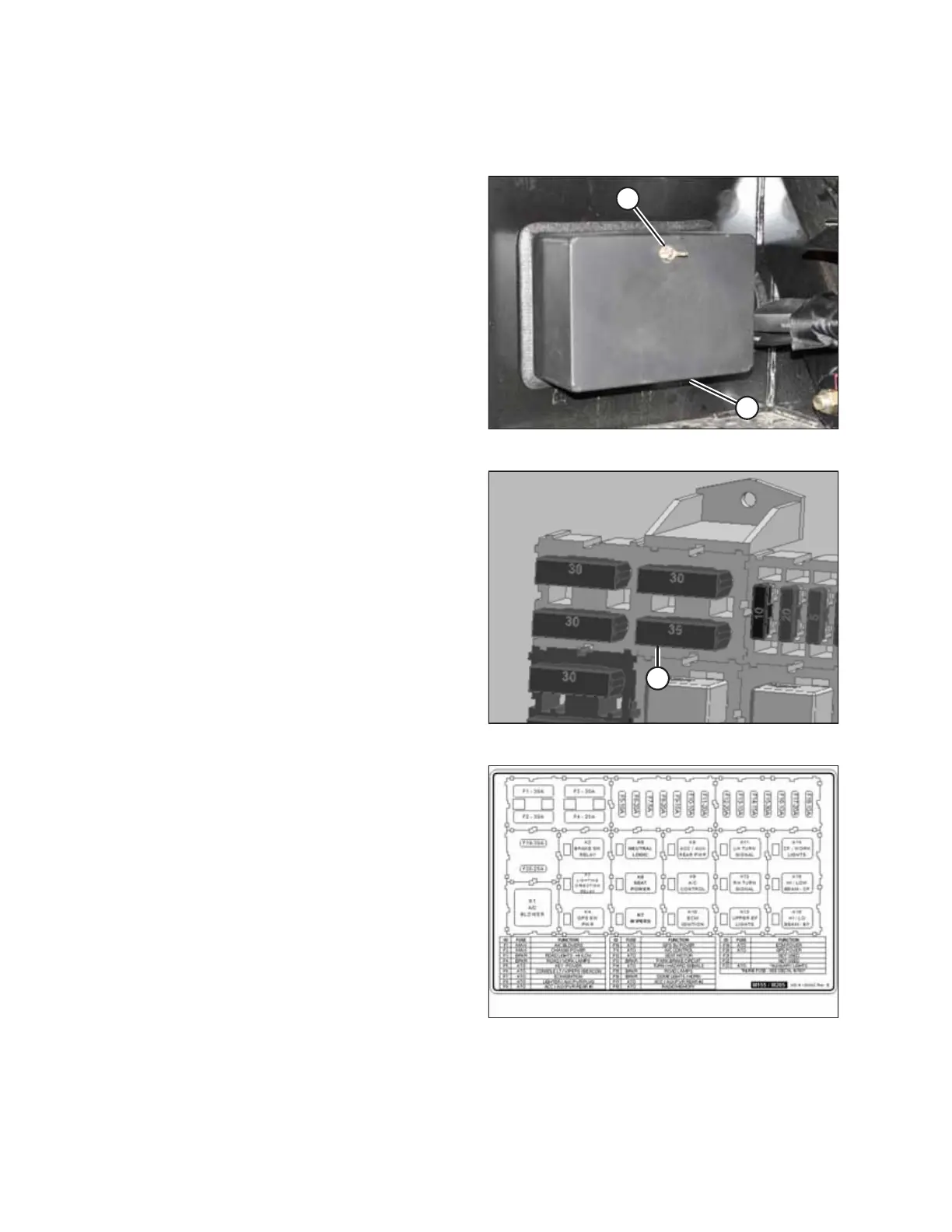
Figure 3.31: Fuse Box
1. Locate the fuse box on the right side of the
windrower frame.
2. Loosen wing nut (A), and remove fuse box cover (B).
Figure 3.32: Inside Fuse Box
3. Remove the breaker from slot F4 (A) in the fuse box.
4. Install new 25 amp breaker (MD #134762) in slot F4.
Figure 3.33: M155/M205 English Fuse Box Decal
(MD #183562)
5. The kit includes three fuse box decals. Select the one that is
appropriate for this machine (decals have a model number
in the lower right corner as shown at right), and install as
follows:
a. If the existing decal on the inside of the fuse box cover
is damaged, remove it.
b. Clean and dry the installation area on the inside of the
fuse box cover.
c. Place the new decal in position. Slowly peel off the
backing paper, smoothing the decal as it is applied.
d. Prick small air pockets with a pin, and smooth out.
INSTALLATION INSTRUCTIONS



 To Next Page