INSTALLATION INSTRUCTIONS
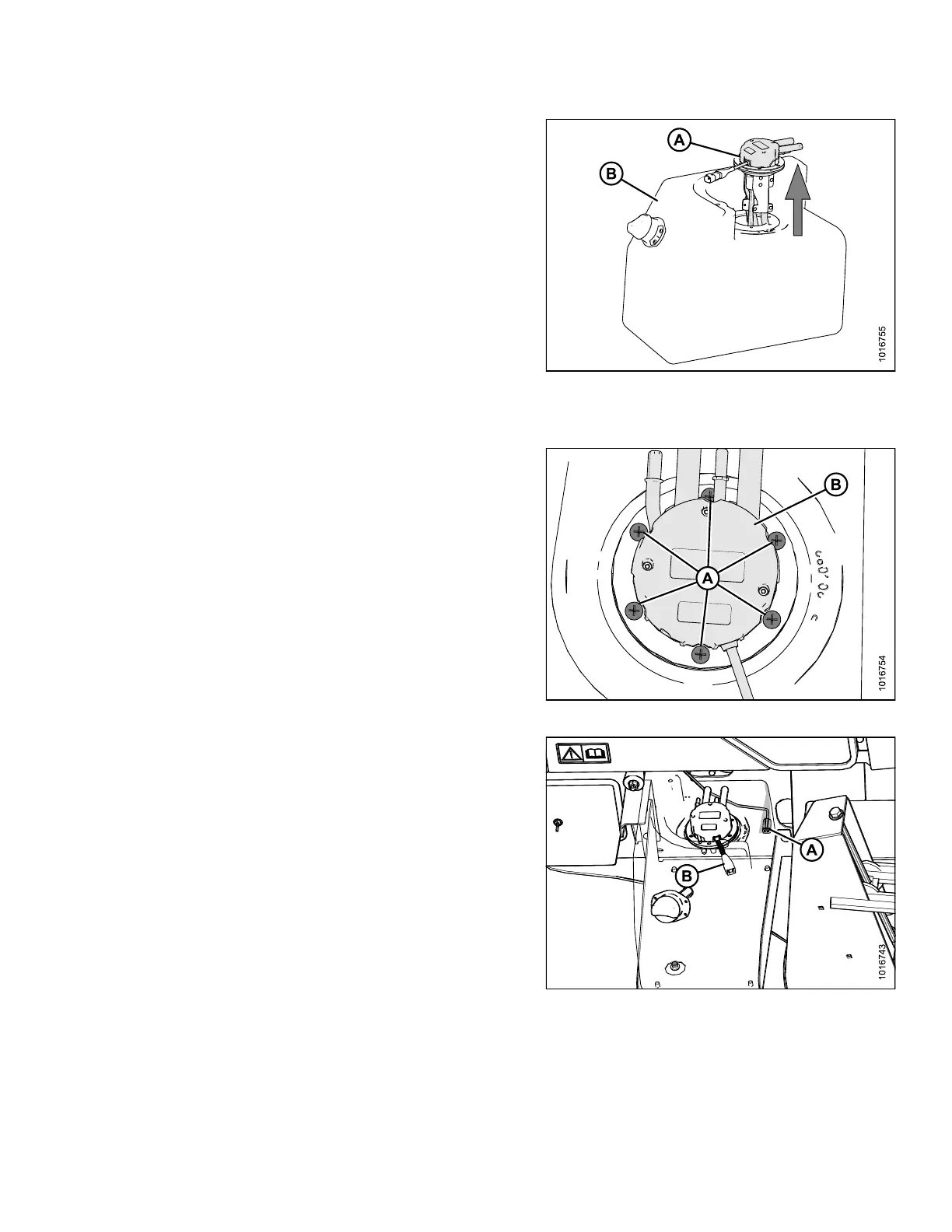
21. Pull up DEF head (A) to remove it from the tank (B).
NOTE:
You may need to
use a step ladder to be high
enough to remo
ve the head completely from the
tank. Take car
e as DEF head will be heavy if it is
full of coola
nt.
22. Ensure that n
o DEF is spille d on a n y expose d electrical
connections
while removing the head from the tank.
23. Remove the t
ape used to seal the coolant ports and
drain the co
olant from the DEF head.
IMPORTAN T:
Take note o
f the volume of the coolant for
refill late
r.
Figure 3.34: DEF Assembly
24. Place the new DEF head (B) into the tank and secure
with six screws (A). Torque to 5–7 ft·lbf (7–9 N·m).
Figure 3.35: DEF Head
25. Remove the tape from the electrical connector (A) and
reconnect chassis harness (A) to DEF head (B).
NOTE:
Part of tank made transparent in illustration
to show where the harness connects on the
DEF head.
Figure 3.36: DEF Electrical Connector
167730 23 Revision B



 To Next Page