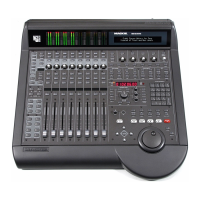
Mackie TT24 Digital Live Console Quickstart Guide TT24 Interface
16
2.5 Snapshots
The TT24 includes a robust snapshot feature that captures the state of the console
:
• 99 snapshots
• fast store/recall surface control
• detailed snapshot filtering to store/recall only selected parameters and
channels
The snapshot controls are in the upper
-
right area beside the QuickMix buttons
(Figure 2-3).
2.6 Flex Groups and Master
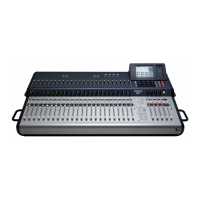
The TT24 has four Group channel strips and a master strip (Figure 2-2). Each
Group has a V
-
Pot (to control group pan), MUTE, SELECT, SOLO buttons, and
a 100 mm motorized fader on the console surface. The four Group strips control
either Groups 1–4 or 5–8. The currently selected Group bank is indicated by
the GROUP ASSIGN/SELECT buttons.
Changing the Group Bank
Press any of the GROUP ASSIGN/SELECT buttons to select that Group bank.
The GROUP ASSIGN/SELECT buttons illuminate 1–4 or 5–8 and cause the
faders and buttons to snap to their previous Group bank settings.
Group Assignment
Press and hold a GROUP ASSIGN/SELECT button and press the channel
SELECT buttons to add/subtract channels from that Group. This method is
used for all of the GROUP ASSIGN/SELECT buttons (Groups 1–8, L
-
R and
CTR/Mono).
Group Parameter Control
Press a GROUP SELECT button to access that Group’s settings and controls
in the QuickMix section just like an input channel.


 To Next Page