48
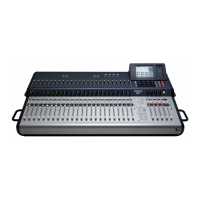
TT24 DIGITAL LIVE CONSOLE
TT24 DIGITAL LIVE CONSOLE
Decimal to Hexadecimal Conversion Table
Decimal Hexadecimal (0x) Decimal Hexadecimal (0x) Decimal Hexadecimal (0x)
00 0 16 10 32 20
01 1 17 11 33 21
02 2 18 12 34 22
03 3 19 13 35 23
04 4 20 14 36 24
05 5 21 15 37 25
06 6 22 16 38 26
07 7 23 17 39 27
08 8 24 18 40 28
09 9 25 19 41 29
10 A 26 1A 42 2A
11 B 27 1B 43 2B
12 C 28 1C 44 2C
13 D 29 1D 45 2D
14 E 30 1E 46 2E
15 F 31 1F 44 2F
...and so on.
Snapshots:
When RECEIVE is enabled in the MIDI page of the
SETUP menu, Snapshots in the TT24’s memory can be
recalled using MIDI Program Change messages. Similar-
ly, if SEND is enabled, a MIDI Program Change message
is sent from the TT24’s MIDI OUT connector when you
recall a snapshot from the console.
MIDI Snapshot message bytes: Cn ss
Where: n = MIDI Channel (0x0 to 0xF)
ss = Snapshot number (0x00 to 0x62)
Example: Sending “C0 44” recalls snapshot 68 on a
TT24 set to MIDI channel 1.
Mutes:
When RECEIVE is enabled in the MIDI page of the SET-
UP menu, the status of channel Mutes can be changed
using MIDI Note messages. Similarly, when SEND is
enabled, a MIDI Note message is sent from the TT24’s
MIDI OUT connector when you change a channel’s Mute
status from the console.
MIDI Channel Mute message bytes: 9n ii mm
Where: n = MIDI Channel (0x0 to 0xF)
ii = Channel strip ID
Deck 1: (0x00 to 0x17)
Deck 2: (0x18 to 0x2F)
Deck 3: (0x30 to 0x47)
Deck 4: (0x48 to 0x5F)
mm = Mute Status
(Un-Muted = 0x00; Muted = 0x7F)
Example:
Sending “90 18 7F” mutes channel strip 1 of
Deck 2 on a TT24 set to MIDI channel 1.
Faders:
When RECEIVE is enabled in the MIDI page of the
SETUP menu, the value of the channel faders can be
changed using MIDI Continuous Controller messages.
Similarly, when SEND is enabled, MIDI Continuous Con-
troller messages are sent from the TT24’s MIDI OUT con-
nector when you move a channel fader on the console.
MIDI Channel Fader message bytes: Bn ii vv
Where: n = MIDI Channel (0x0 to 0xF)
ii = Channel strip ID
Deck 1: (0x00 to 0x17)
Deck 2: (0x18 to 0x2F)
Deck 3: (0x30 to 0x47)
Deck 4: (0x48 to 0x5F)
vv = Fader Value (0x00 to 0x7F)
Example: Sending “B0 18 61” sets the fader on Chan-
nel strip 1 of Deck 2 to 0.0 dB on a TT24 set to MIDI
channel 1.


 To Next Page