MAINTENANCE WORK
DRIVE TRAIN
Maintenance manual T225/T230 75
Reading oil level
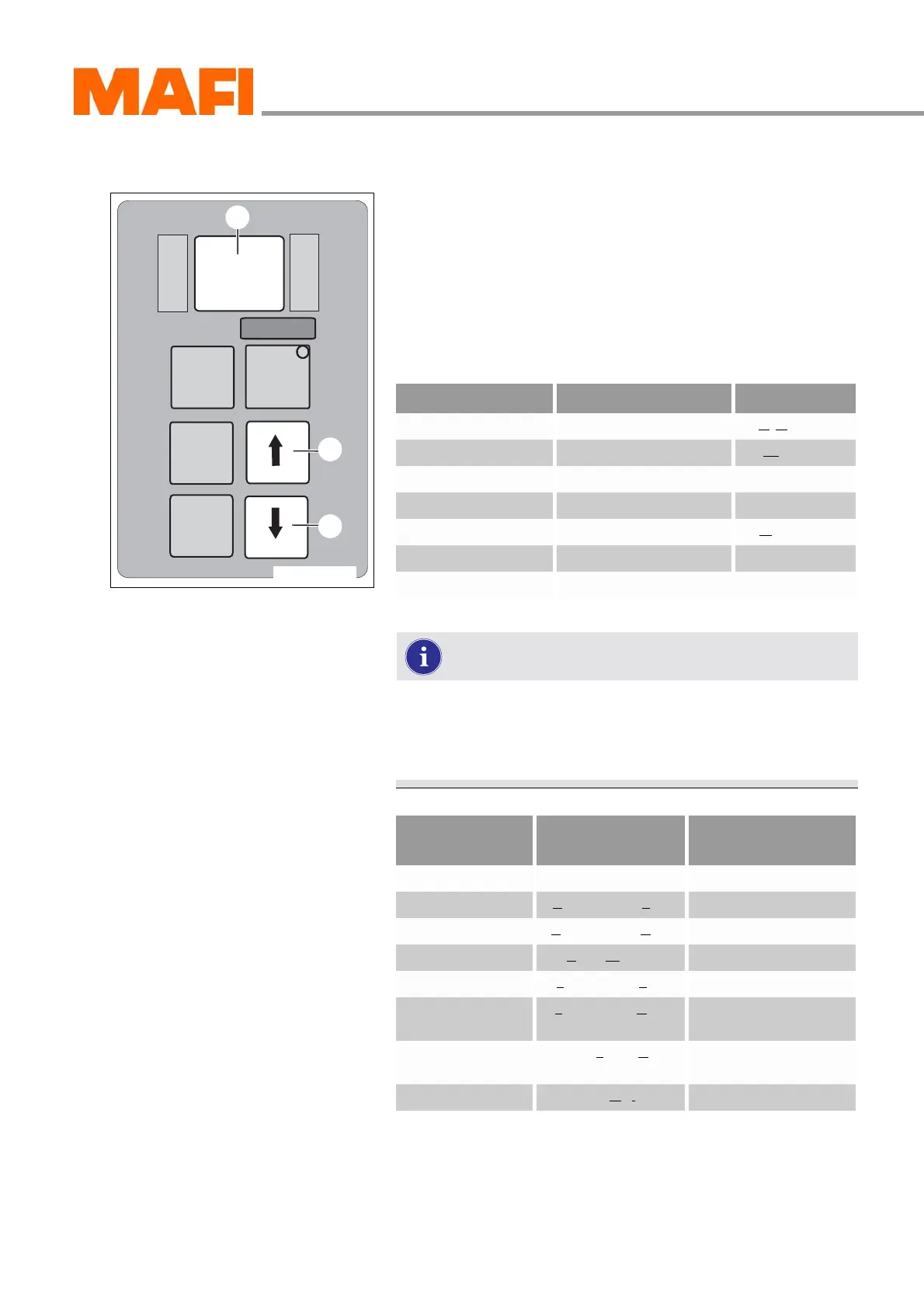
Fig. 43: Operating panel
1 Arrow key down
2 Arrow key up
3 Display “Oil level mode”
X
Press the two arrow keys 1 and 2 once at the same time.
After about two minutes, you can read the oil level in the
display 3.
If one of the above-mentioned conditions for oil level
measurement is not fulfilled, the computer stops the
measuring or the countdown and shows the oil level
sensor error on the display.
M
O
N
I
T
O
R
R
N
D
S
E
L
E
C
T
MODE
11-C25-067-084A-9
1
2
3
Oil level indicator Explanation
oL ok Oil level is OK (Oil Level ok)
oL Lo 1 Oil level 1 litre too little Low = low
oL Lo 2 Oil level 2 litres too little
etc.
oL HI 2 Oil level 2 litres too much High = high
oL HI 3 Oil level 3 litres too much
etc.
Oil level sensor
error
Cause
oL 0X Settling time too short Setting time is too short
oL EL Engine speed Low Motor speed is too low
oL EH Engine speed High Motor speed is too high
oL SN Select Neutral Not in neutral
oL TL Temperature Low Oil temperature is too low
oL TH Temperature High Oil temperature is too
high
oL SH Outputspeed High Drive shaft is turning
(MT is moving)
oL FL Sensor Failure Malfunction at the sensor


 To Next Page