14
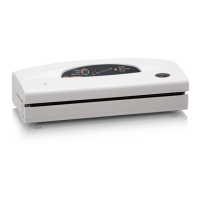
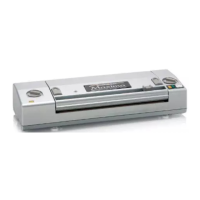
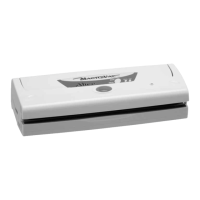
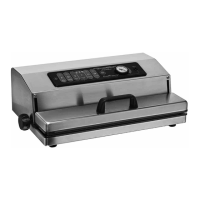
VACUUM PACKING MACHINE
MAGIC VAC
®
Dinamika
Thankyouforyourpurchaseandfortheconfidenceyouhaveshownus.
Pleasereadtheseinstructionscarefullysothatyoucancorrectlyusethe
MAGIC VAC
®
Dinamika in order to achieve the best storage results.
Wealsoadvisethatyoukeepthismanualforfuturereference.
- NOMENCLATURE and FUNCTIONS page 14
- IMPORTANT INFORMATION page 15
- USE INSTRUCTIONS page 16-18
•Makingbagsfrom
MAGIC VAC
®
rolls page 16
•Packinginbags
madefromrollsorwithpre-cut
MAGIC VAC
®
bags page 16
•PackinginMAGICVAC
®
Executivecanistersorwith
MAGIC VAC
®
universal lids page 16-17
•PackinginMAGICVAC
®
Family canisters page 17
•Packinginglassjars page17
•PackingwithMAGICVAC
®
bottle capper page 17
•Packingwith
theLidAttachment page17
•RapidMarinating page18
- CLEANING INSTRUCTIONS page 18
- TECHNICAL CHARACTERISTICS page 18
- TROUBLESHOOTING page 19
- INFORMATION ON VACUUM
STORAGE OF FOOD page 20-24
•ADVANTAGESOFMAGICVAC
®
VACUUMPACKING page20
•MAGICVAC
®
STORAGETIMES page21
•WHATISVACUUMPACKING page22
•HOWTOSTOREUSING
MAGIC VAC
®
BAGS page 22-23
•HOWTOSTOREUSING
MAGIC VAC
®
CANISTERS page23
•THINGSTOREMEMBER page24
-
MAGIC VAC
®
ACCESSORIES
AVAILABLE
page 69-70
MACHINE NOMENCLATURE and FUNCTIONS
(1) Control panel-Tosetthevariousfunctionsof
the machine.
(2) UNLOCK buttons-Foropeningthecover4.
(3) ACCESSORY PORT Air intake for the Tube
-ToinserttheTubeinordertoperformthe
vacuum packing procedure in all canisters
andwithallMAGICVAC
®
accessories.
(4) Cover -Open in theupper fixed position,it
allowsforbagstobepositionedbeforepro-
ceedingwithpacking.
(5) Roll-Holder Compartment.
(6) Bar with bag-cutter.
(7) Vacuum chamber -
Is the location for posi-
tioning the bag and evacuating the air.
(8) Sealing bar - Heating element which seals
the bag.
(9) Sealing gasket - Presses the bag on the
Sealing Bar.
(10) Airtight gaskets -
Guarantee the vacuum in
thechamberallowingforairtobeevacuated
from the bags.
(11) Power Cable and cable holder.
(12) Anti-skid Feet - Prevent the machine from
sliding during use.
Control Panel Description
1.1 Slow-Keyforsettingvacuumpumpspeedto
low.
1.2 Normal-Keyforsettingvacuumpumpspeed
to high.
1.3 Dry-Keyforsettingsealingcycleforpacking
dryfoods.
1.4 Humid - Key for setting sealing cycle for
packingwetfoods.
1.5 Vacuum & Seal / Cancel - Key (BACKLIT
BLUE) to start the automatic bag packing
cycle, includingfinal sealing. ThisKey also
has the Cancel function, which stops any
packagingphasethatisunderway.
1.6 Canister - Key to start the automatic pack-
ingcycleincanistersandwithMAGICVAC
®
accessories.
1.7 Marinating-Keytostarttherapidmarinat-
ingcycletobeused only withsquare 2.5 L
MAGIC VAC
®
canisters.
1.8 Manual Seal-Key(BACKLITRED)tostartthe
manualbagsealingcycle.
See the illustrations on page 1.
INDEX


 To Next Page