17
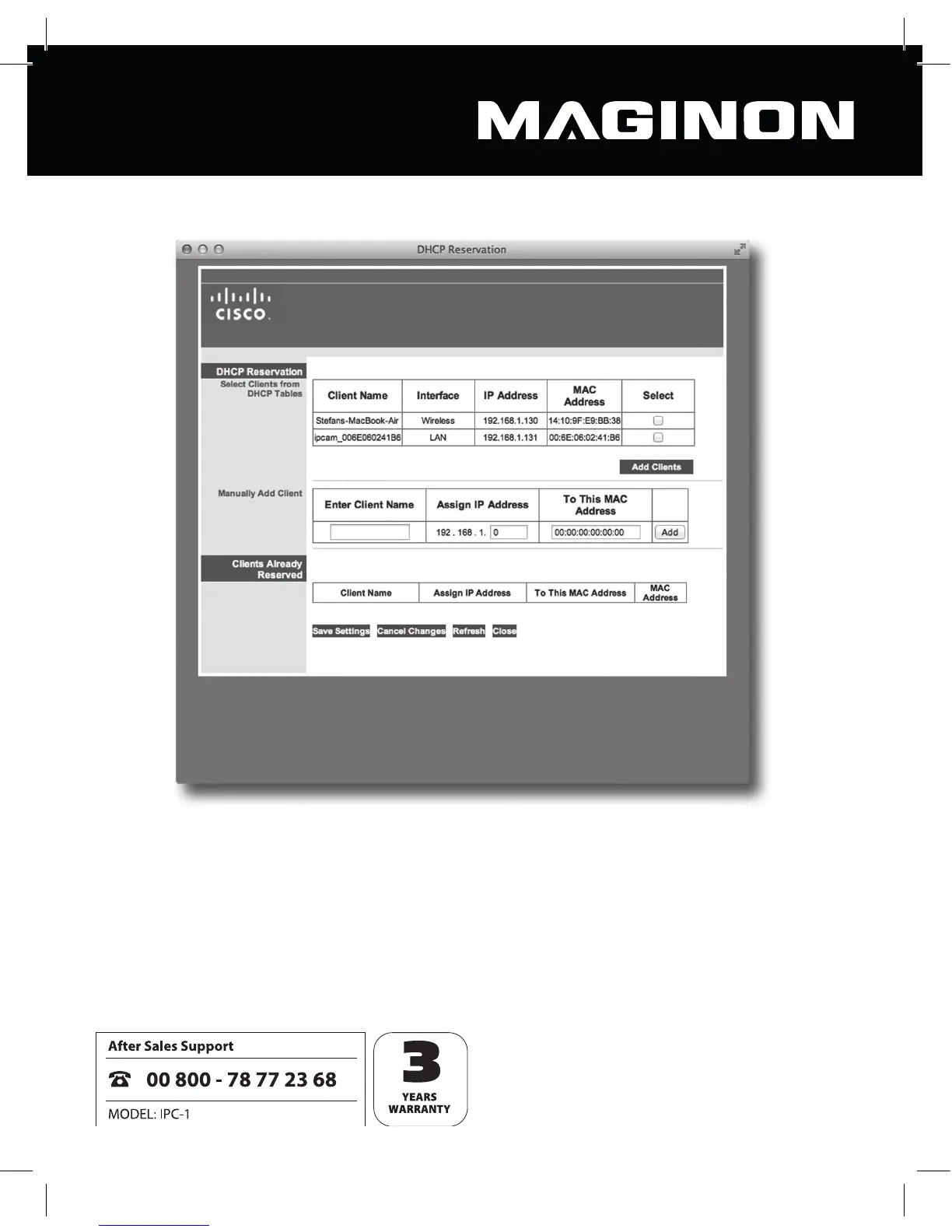
Please note that your router’s con guration screen layout may diff er from our example.
This list includes the security camera described as “ipcam_xxx” (“ipcam_006E060241B6” in
the example above). Next to this is the camera’s IP address (in this instance 192.168.1.113).
Enter this address in a new browser window (Safari) to open the camera’s con guration
screen.
You can now enter the desired settings for the security camera as per Section 6 of these user
instructions and begin using the camera.



 To Next Page