46
Add a new camera
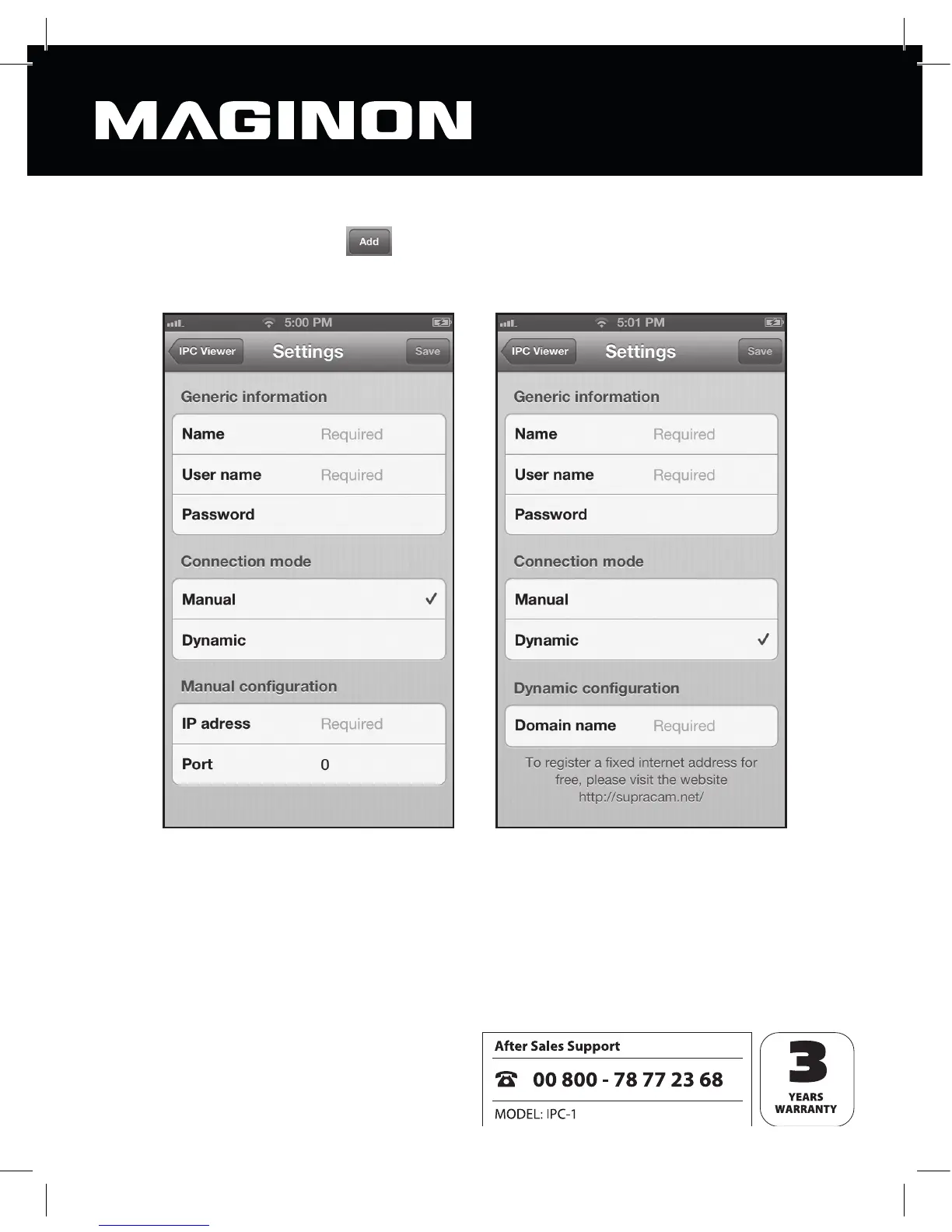
From the summary view, click , to add a new camera to the program. This opens a
screen for entering the relevant camera data.
Enter the following General information:
Name: Enter your chosen name for the new camera. This name is just for identification
purposes where more than one camera is being managed.
User name: Enter a user name which will have access permission for the new camera.
Password: Enter the password associated with the user name.



 To Next Page