4 Keypad Operation
MAGNETEK HPV1000 AC Elevator Drive Technical Manual 9
4 Keypad Operation
Operator Power Up
When the operator is powered up, the Operator will display the drive software and the Operator software for a second
after a Magnetek Logo splash screen.
The software versions shown in this screen can be viewed in the drive U6 sub-menu.
Operator LEDs
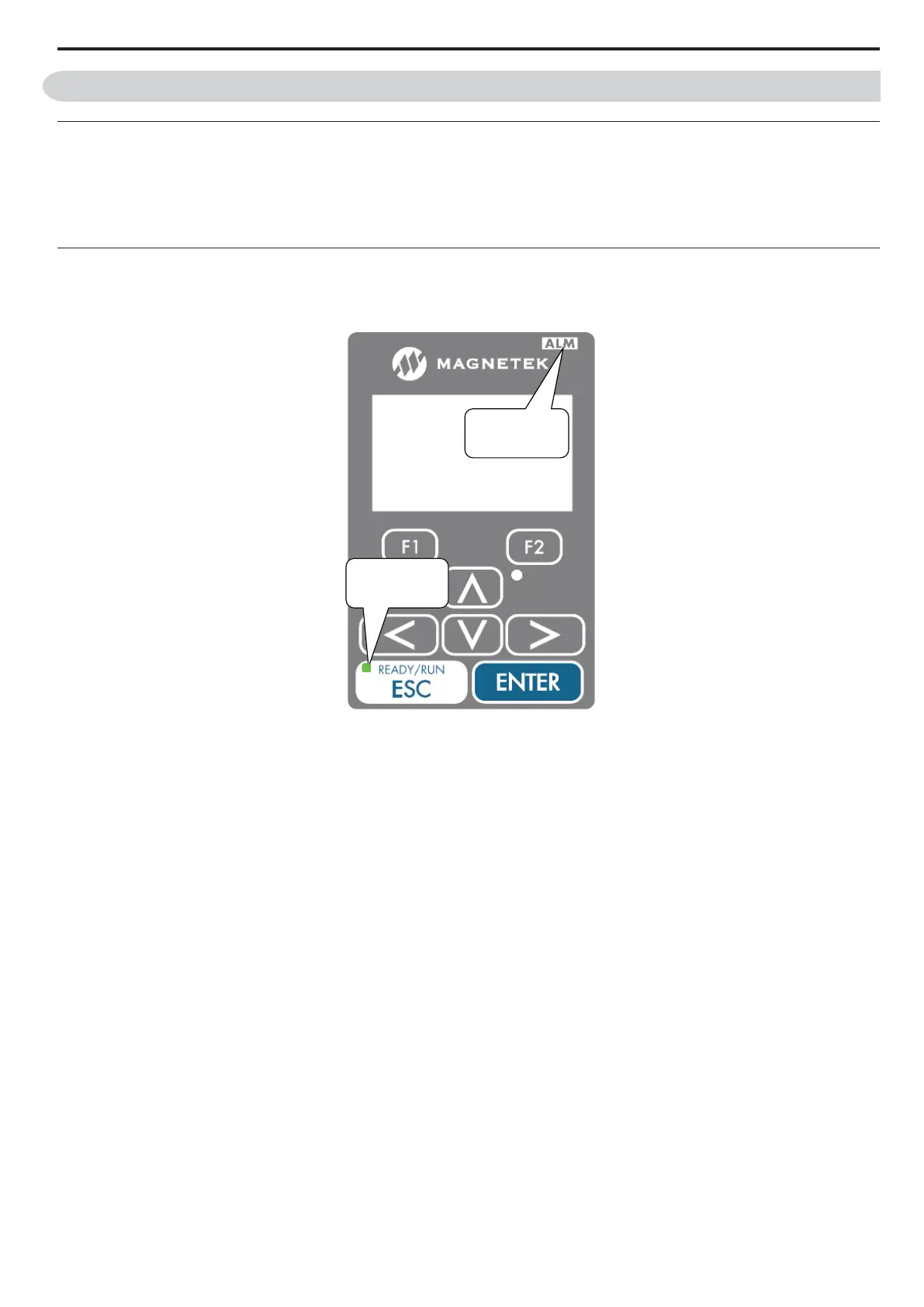
The Operator has two operational status LEDs: one ALARM LED and one RUN LED.
Figure 1
Figure 4 Operator Status LED
Alarm (ALM) LED Operation
When the drive detects an alarm that does not warrant a drive operation shut down, the ALM LED will begin to flash red.
If the drive detects a fault (drive operation shut down), the ALM LED will be a solid red light. Refer to Troubleshooting
on page 41 for more details.
RUN LED Operation
The RUN LED will turn green when the drive is commanded to run.
Alarm / Fault Display
When the drive detects an alarm or a fault, it will display the name and the code on a splash screen (as shown below).
Refer to Troubleshooting on page 41 for more details.
red ALARM
LED
green RUN
LED



 To Next Page