5 Programming
28 MAGNETEK HPV1000 AC Elevator Drive Technical Manual
U10 Alternate Nav
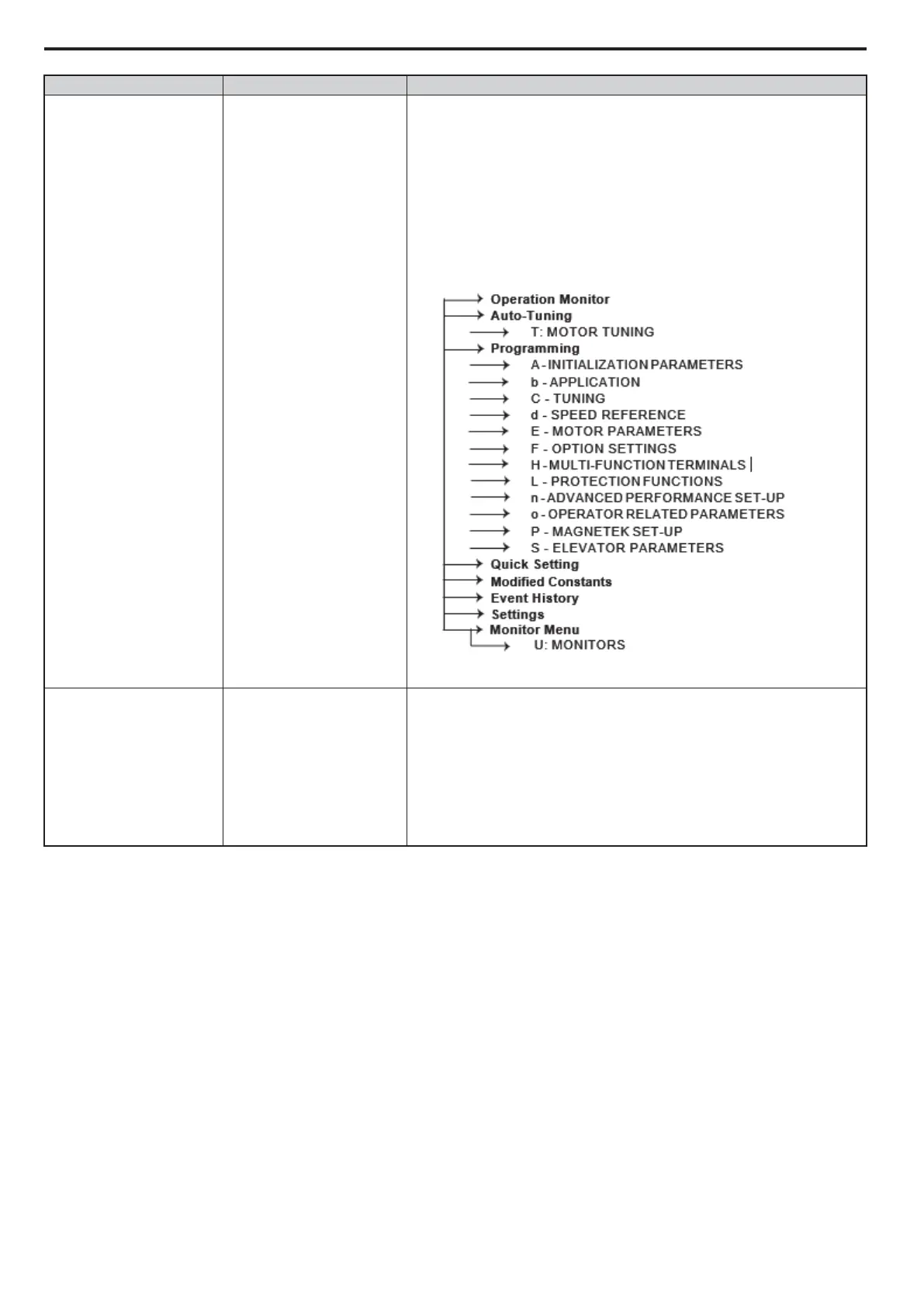
The alternate navigation operates on 5 levels: the main menu level, parameter
group level, parameter sub-group level, parameter level, and the data entry level.
At the menu level, it allows the user to navigate between menus. At the
parameter group level, it allows the user to navigate between different parameter
groups within that menu: such as A, b, C, d, and etc. At the sub-group level, the
user can navigate through a group of parameters: such as C1, C2, C3, and etc. At
the parameter level, the user can select a specific parameter in a sub-group: such
as C1-01, C1-02, and etc. At the entry level, the user can change values or select
different options. Below is the menu tree of the alternate navigation.
U13 Param Backup
It is possible to allow the user to save the drive’s current parameters as drive
defaults. These settings can be restored should the user in the future wish to
revert the settings. This is particularly useful for control system manufacturers
saving their specific drive configuration prior to dispatch.
• Parameter Backup - In this submenu, selecting “set user backup” will save the
current settings as default and “wipe user backup” will remove the saved
settings and allow the drive to be reset to Magnetek default settings.
• Parameter Restore - Selecting “Restore Backup” will restore the previously
saved drive settings.
Submenus Parameter Name Description



 To Next Page