Engineered XLTX Transmitter Instruction Manual
December 2016
Page 30 of 49
WARNING
THE ACCESS CODES IN THE RECEIVER ARE UNIQUE AND FACTORY PRESET. DO NOT CHANGE
THESE ACCESS CODES UNLESS YOU ARE REPLACING AN EXISTING RECEIVER AND ITS ACCESS
CODE. CHANGING THIS CODE COULD MAKE IT COMMON WITH ANOTHER RECEIVER ACCESS
CODE, WHICH COULD MOVE OTHER EQUIPMENT. NO TWO SYSTEMS IN ANY LOCATION SHOULD
EVER HAVE THE SAME ACCESS CODES INDEPENDENT OF THE FREQUENCY. FAILURE TO
FOLLOW THIS WARNING COULD RESULT IN SERIOUS INJURY OR DEATH, AND DAMAGE TO
EQUIPMENT.
5.3 CONNECTING THE XLTX TO A COMPUTER
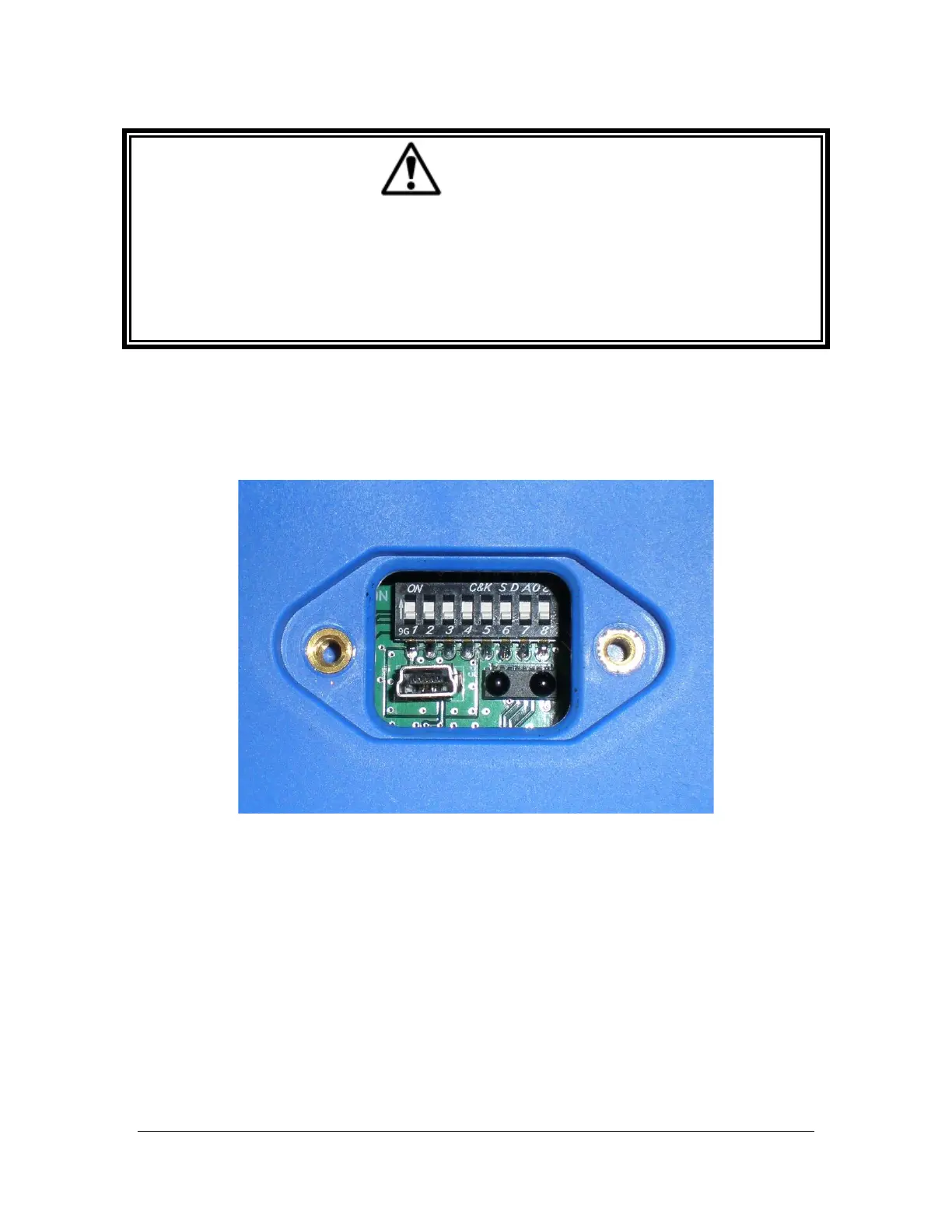
The XLTX transmitter contains circuits that permit communication with a computer system via
USB. The USB mini-B plug is located through the IR/USB port window as detailed in Section
3.1.3.
Figure 15: USB Mini-B Receptacle as Viewed Through USB/IR Port
When plugging in the transmitter to a computer system, the transmitter batteries must be
installed. The USB circuit does not provide power to the transmitter. Magnetek highly
recommends using a fully charged battery pack when using USB and RCP with the transmitter.



 To Next Page