110
Why it runs abnormal when testing home?
Notes: This FAQ only applies to mDraw and we can only test home in mDraw.
I. It doesn’t move when test home
This issue is usually caused by Limit switch. We can check its state in mDraw and these are the
steps:
1. Make sure you have done firmware update and then connect the official 12V power adapter.
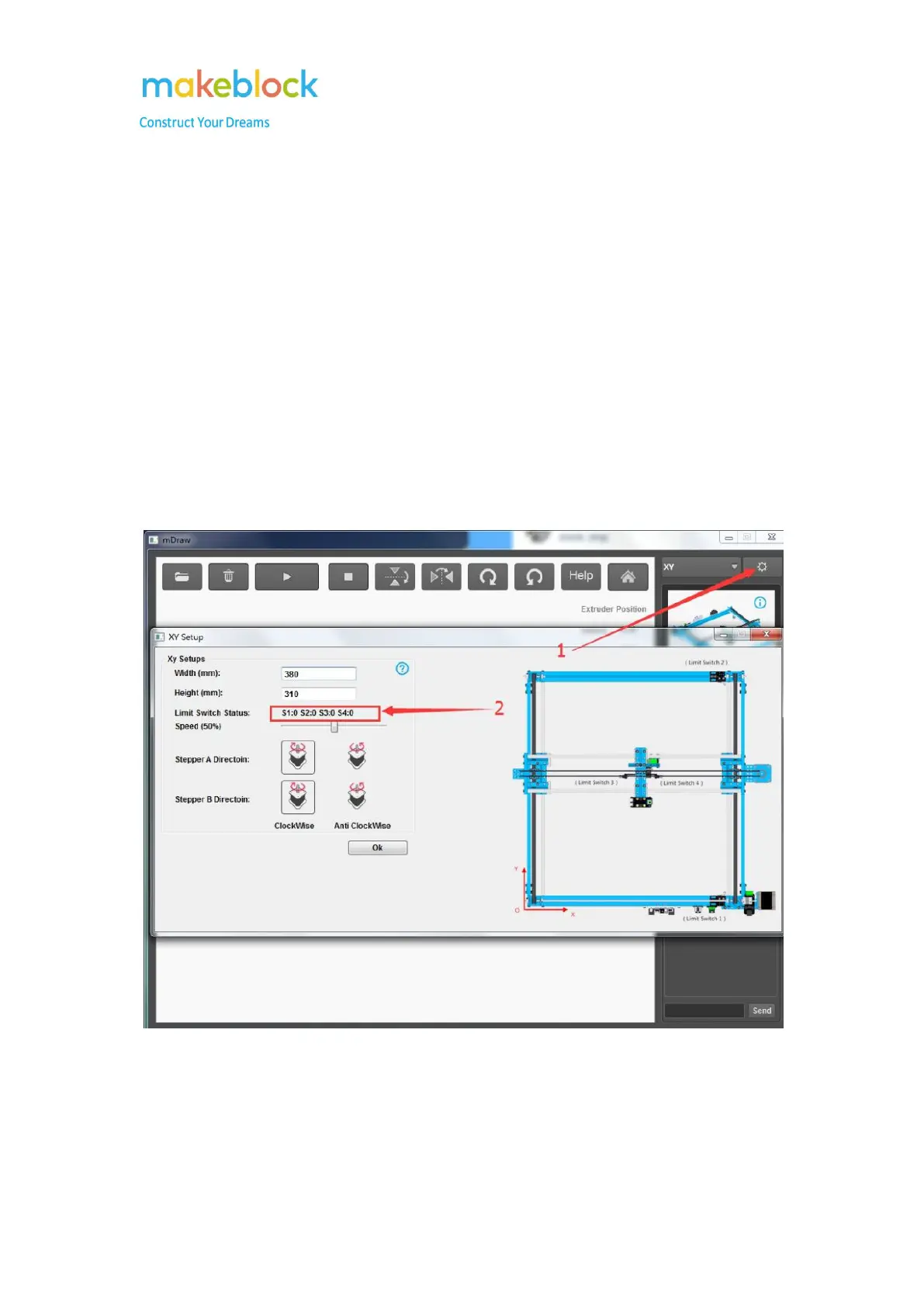
2. Connect USB from Orion to computer and connect COM in mDraw, then go to setting page as
below picture.
3. Test the four limit switch S1, S2, S3, S4 by pressing and releasing separately, check if the state
goes from 0 to 1. (0 means pressed and 1 means released)
If all limit switches will change from 0 to 1 correcting when testing, please start from the second
point. If one of the limit switch is not working properly as it should be, please try follow
troubleshooting.
1. Check the limit switch to Orion board referring to the below picture:



 To Next Page