58
What I should do when Ultrasonic Obstacle Avoidance Mode
of my Starter fails to work
1. Make sure the ultrasonic module is connected to Port 3 (required) on Orion board.
2. Check whether the red indicator of the ultrasonic module is on. If not, the problem is caused by
wire connection or the sensor itself.
3. If you control the Starter with IR remote controller, need press mode switch button D on the IR
remote control to switch to Ultrasonic Obstacle Avoidance Mode.
4. The starter may lose its default program.
5. Make sure the battery on starter can provide enough power.
According to our test and research, it is suggested to use rechargeable Li-ion battery or
rechargeable nickel-metal hydride, nickel-cadmium which can be bought from amazon or local
shop. Or Alkaline battery with good quality like Enegizer, DURACELL.
6. Test the Ultrasonic sensor.
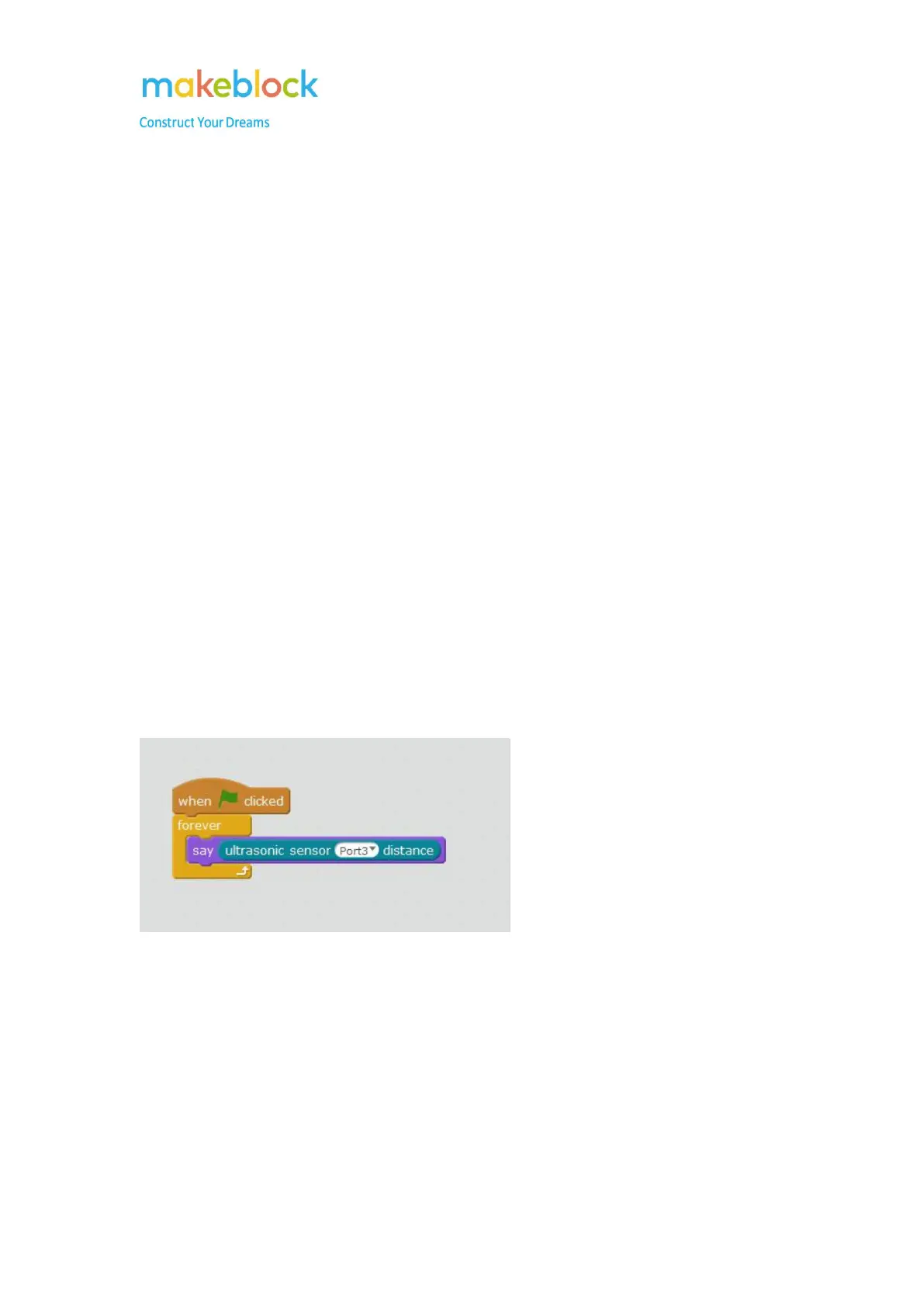
Here is an example to test the ultrasonic sensor:
Move the hand at the front of the Ultrasonic sensor when the program is running. If it always says
400 or less than 1 which is abnormal, please try:
a. Upgrade firmware and test the above program again
b. Change the RJ25 cable between the Ultrasonic module and main Board (you can
temporarily use the RJ25 cable from other modules).
c. Connect the Ultrasonic module to Port 4 instead port 3, then modify the above program
to Port 4 and see if there is valid data from Ultrasonic module.



 To Next Page