76
Part VI LaserBot
How to test if the wire connection for X, Y axis connected
properly on Laserbot
Please kindly test it through home position referring to the following steps:
1. Manually move the carriage to a position (any position where X>0, Y>0).
2. Power on the Laserbot and connect it to PC with USB cable.
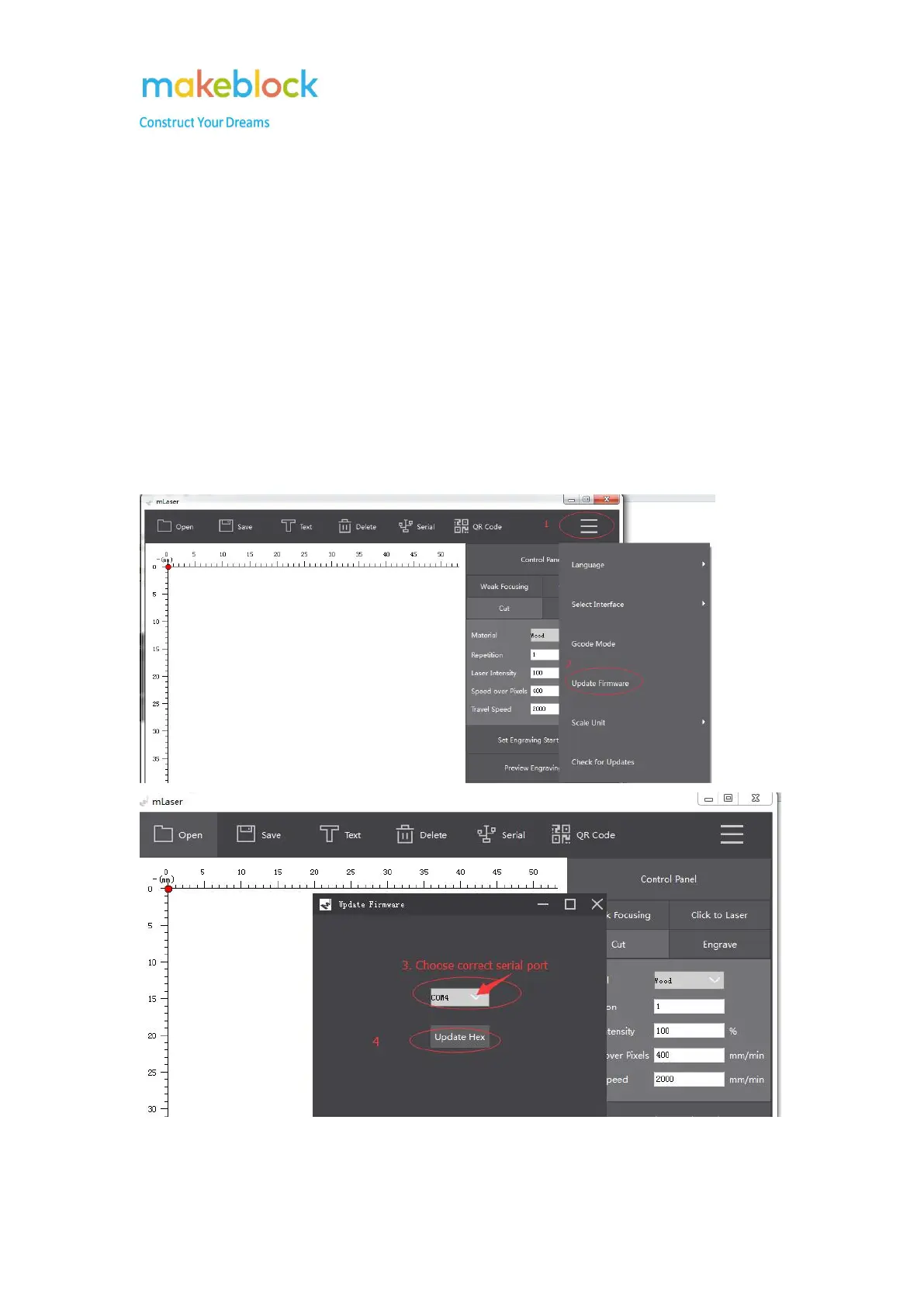
3. Upgrade firmware for it with mLaser software as below picture.
4. After upgrade firmware done, reconnect USB cable and connect serial port on mLaser.



 To Next Page