45
Why the line follower doesn’t work on Ranger?
There are several possible reasons, please check one by one:
1) The line follower module doesn’t connect to Port 9 on Auriga as requested.
2) The map is placed in a place where is surrounded by bright lights, such as under the sunlight,
or very close to the lights in the room. Please move it to a darker place to do the test.
3) If the line follower module is connected to Port 9 but Ranger still cannot follow the line,
please reset default program on mBlock software environment. It might be the line follower
faulty or other hardware issues.
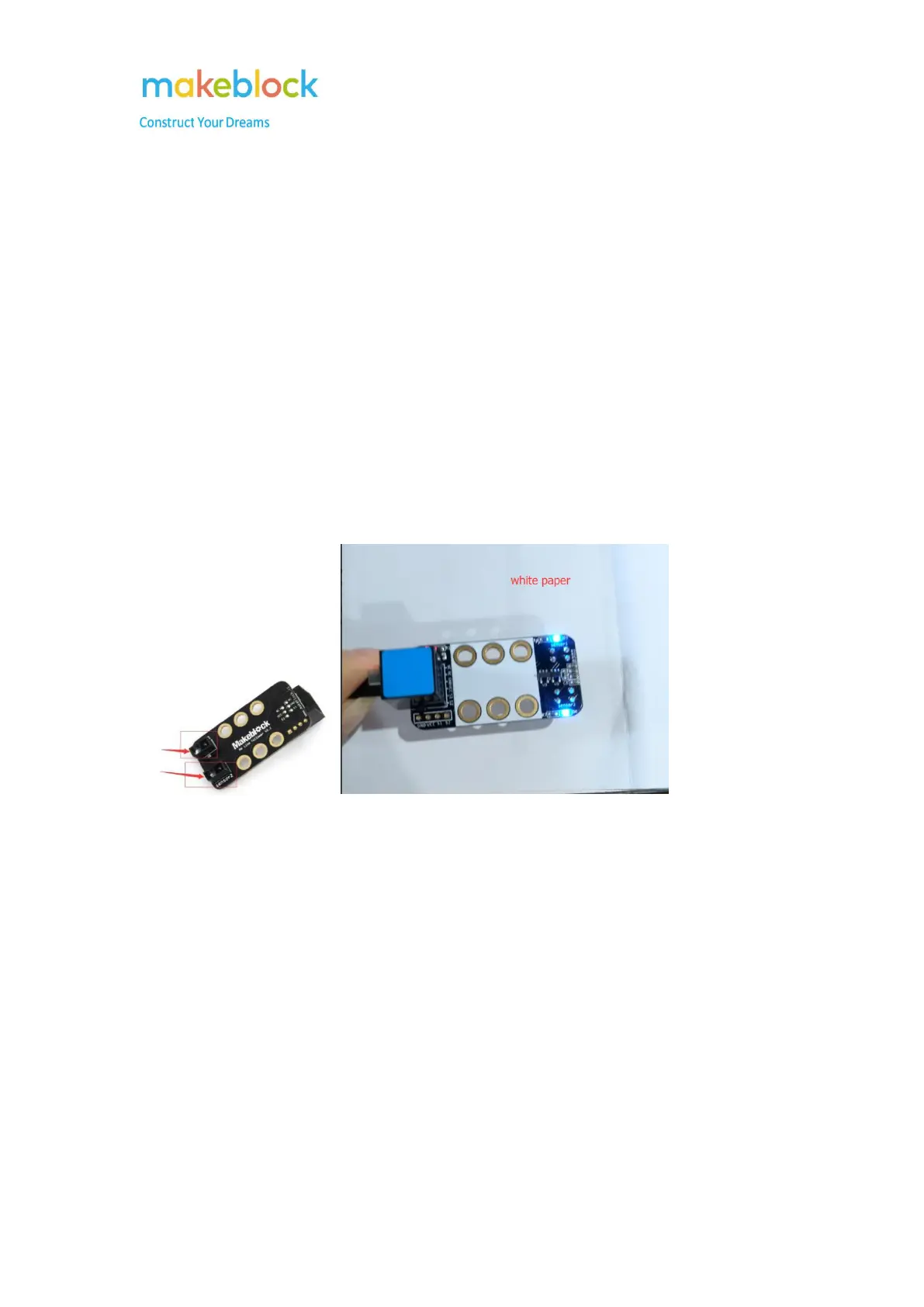
Please follow below steps to test the line follower module.
Step 1: Put the two sensors on the Me Line follower above (Detection range: 1~2cm) a white desk
or white paper and check if the two LEDs corresponding to the two sensors lit up?
Step 2: Remove the line follower sensor from the white desk or white paper and check if the two
LEDs corresponding to the two sensors turn off?



 To Next Page