36
Why the Ranger cannot avoid objects in object avoidance
mode
A. Check wiring. The default setting for Ranger object avoidance mode is that the ultrasonic
sensor connects to Port 10 on Auriga port.
B. Download and install the latest version mBlock software, then reset default program for
Ranger.
C. Test if the Ultrasonic sensor is defective.
How to test if the ultrasonic sensor is defective?
1. Download and install the latest version of Makeblock software on your PC. If you have a Mac,
then you also need to install a driver.
2. Connect Ranger with PC via USB.
3. Make sure the ultrasonic module is connected to Port 10 (required). You should feel a slight
click when the RJ 25 cable is properly inserted.
4. Check whether the red indicator of the ultrasonic module is on. If not, the problem is caused
by wiring.
5. Upgrade firmware.
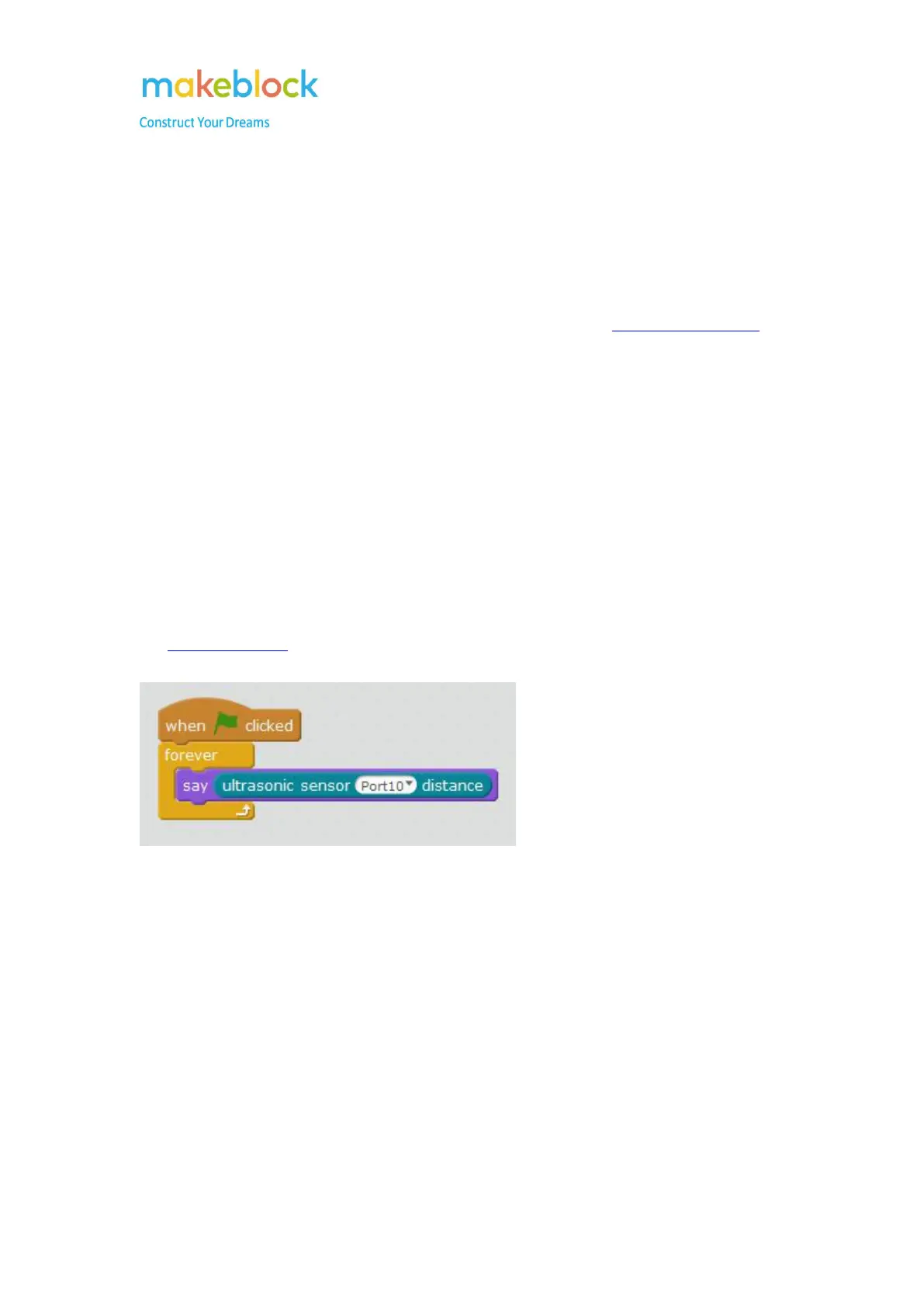
6. Try to run this program, and move your hand in front of the ultrasonic sensor.
7. If the panda doesn't say an ever-changing number, try to change another RJ 25 cable to
connect the ultrasonic sensor and the Port 9. Then try to repeat the above instruction 3-6.
8. If the step 7 doesn't work for you either, attach the RJ25 cable with the ultrasonic sensor with
port 8. Then try to run the program example, but choose "ultrasonic sensor Port 8 distance"
this time.
9. If the panda does say ever-changing number, please reset default program for Ranger, then try
the obstacle avoidance mode again.



 To Next Page