38
Questions related to Bluetooth connection on Mobile devices
I. What Apps do you have for Ranger?
For mobile devices, there are mBlock and Makeblock App that support Ranger. Makeblock App
requires Android 4.3+ and iPhone 4S/iPad 3 +, iOS 9+. mBlock requires Android 5.0 + and iOS
9+. You can search Makeblock in googleplay or appstore.
II. How to connect Ranger to Makeblock App?
As Makeblock App connects to Ranger via Bluetooth, make sure Bluetooth module is plugged
properly. Download and install the latest Makeblock App and refer to below steps to connect
Ranger:
1. Power on Ranger and there is a blue LED keeping slow flashing on the Bluetooth module.
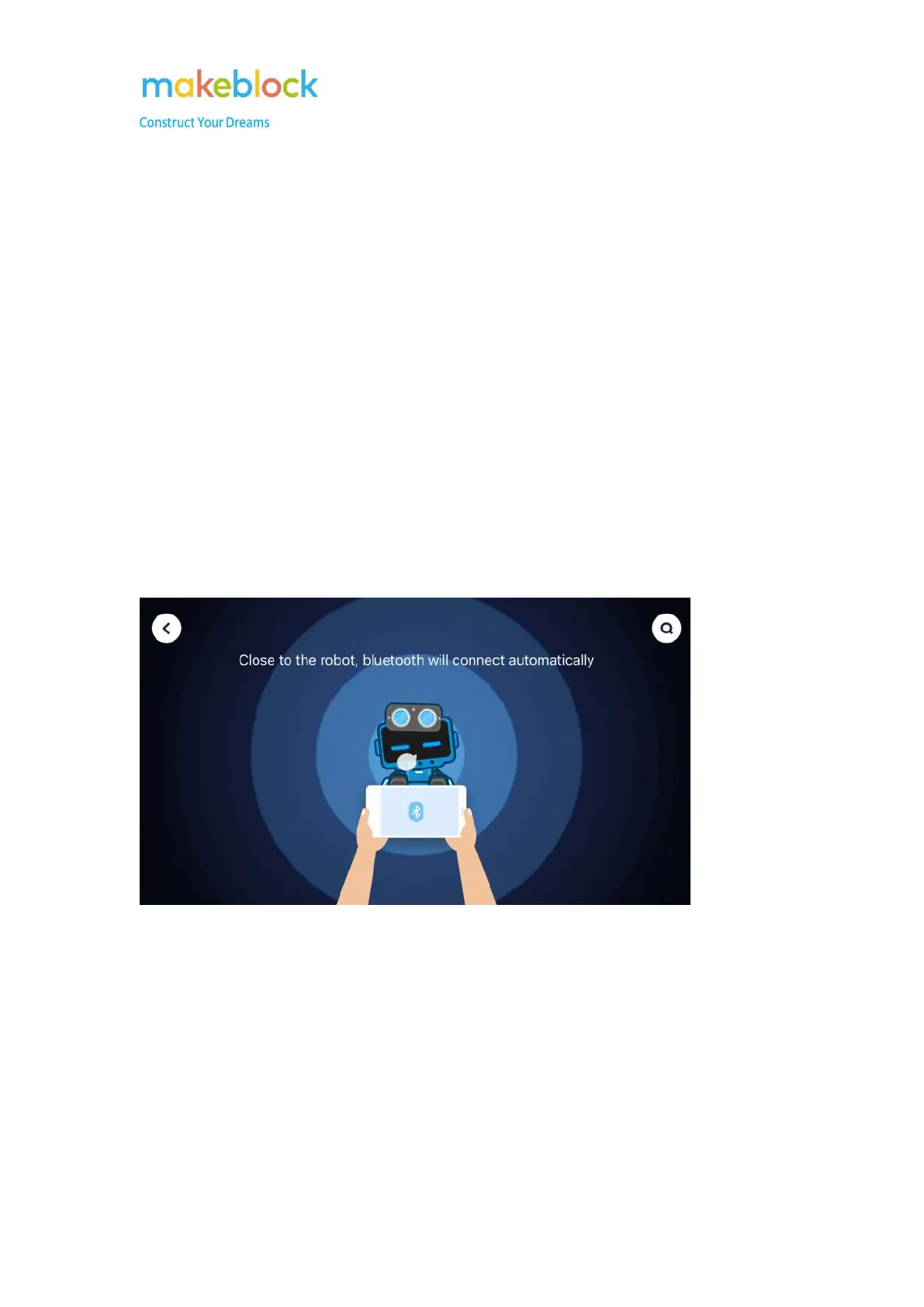
2. Open the Makeblock APP on mobile device and move the mobile device close to the Bluetooth
module, normally it will connect automatically.
Note: if you use iOS mobile device, you need open Bluetooth function on mobile device first.
3. If the Bluetooth can’t be connected automatically, please go to Search icon on the upper right
corner, check if you can find the Ranger Bluetooth in the detected list. If there is, please connect to
it from the list.



 To Next Page