22
EN
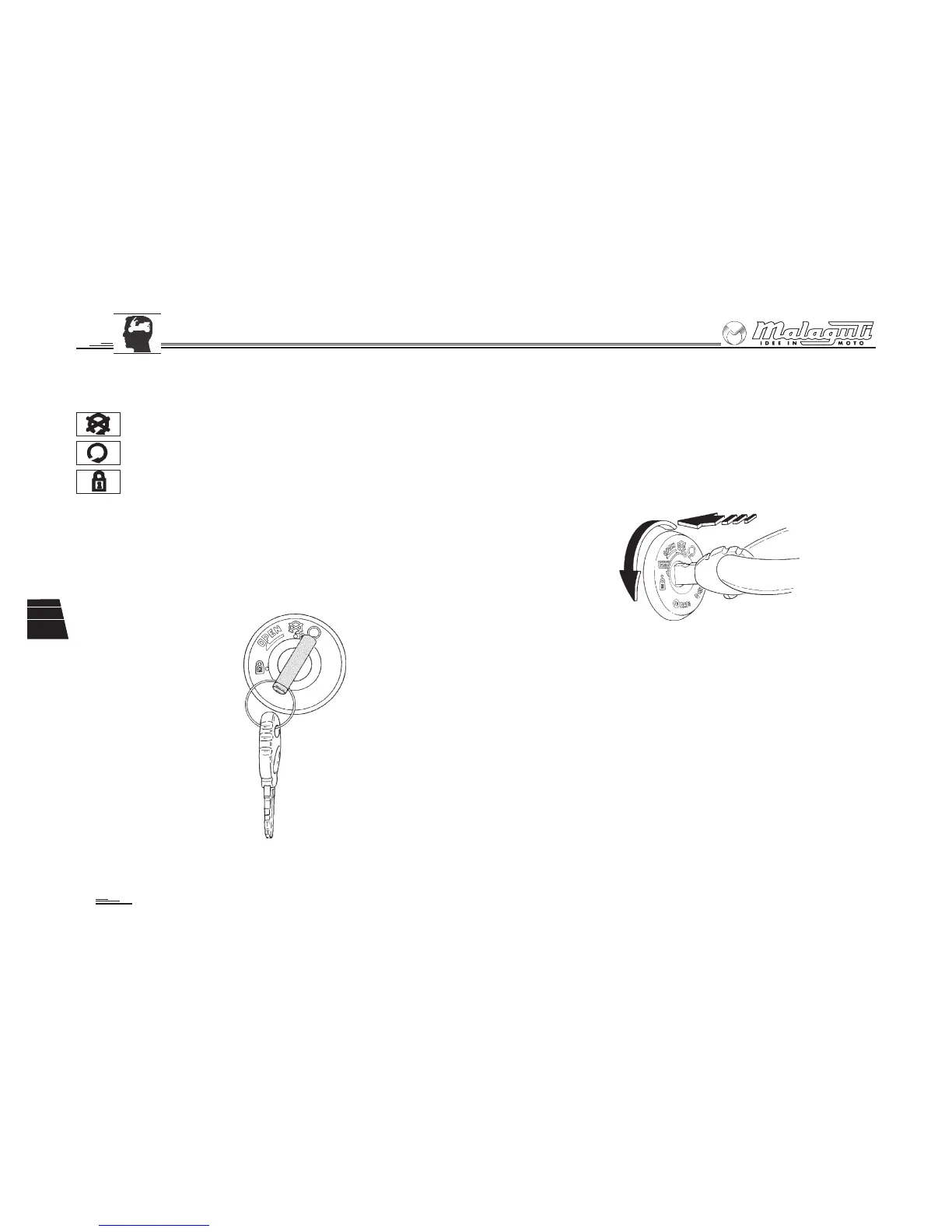
Fig. 21
Fig. 20
2.10 SWITCH WITH KEY
• This switch (Fig. 20) controls the starting circuit and handlebar lock.
ignition disabled (the key can be removed).
‘ready to start’ position (the key cannot be removed).
handlebar lock activated (ignition is disabled. The key can be
removed).
NOTE: the vehicle is supplied with two keys.
2.11 HANDLEBAR LOCK
Insertion
With the handlebar turned to the left, insert the key completely and then
turn it anti-clockwise (Fig. 21).
Disengaging
Turn the key clockwise.





 To Next Page