46
EN
A
E
D
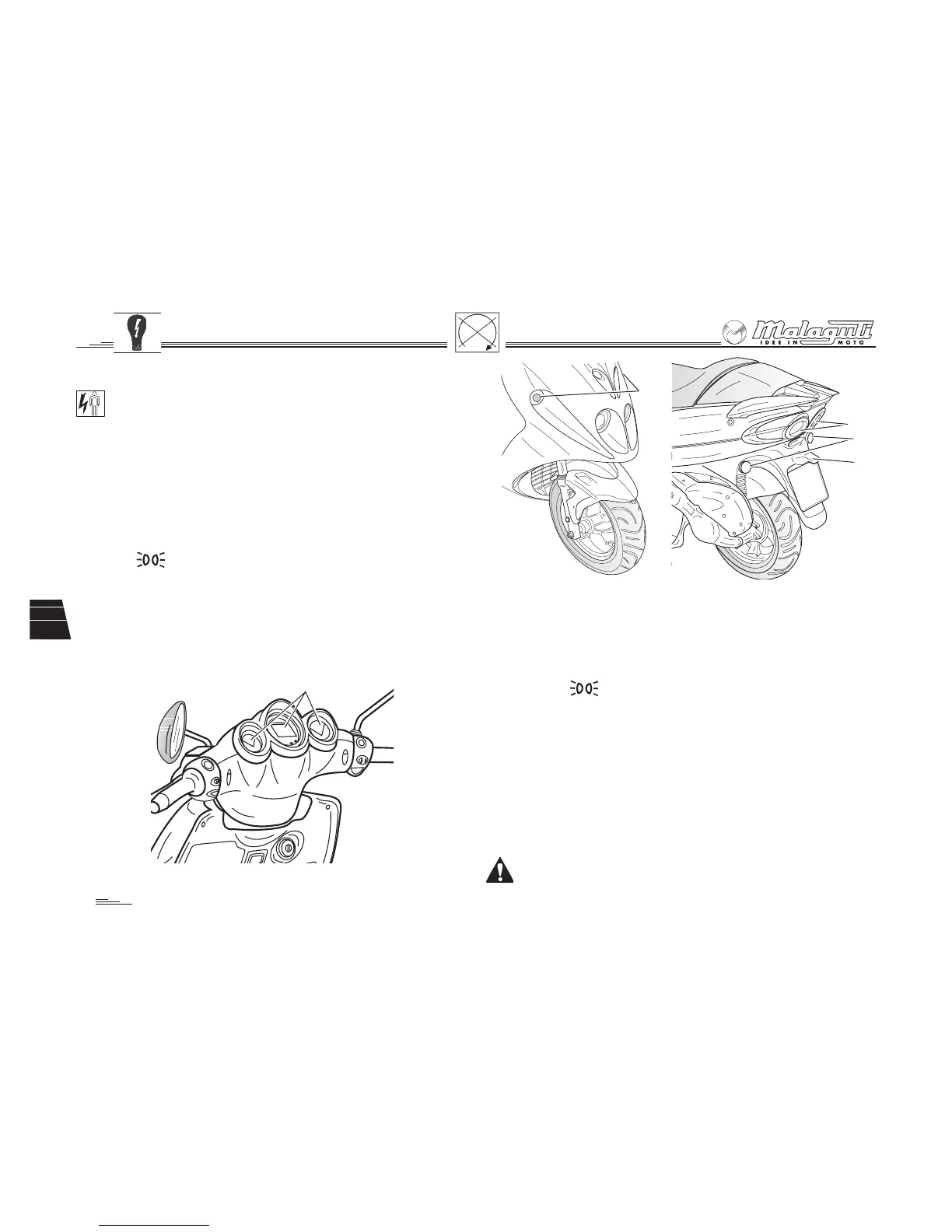
Fig. 37a
B
C
Fig. 37b
Fig. 36
6.3 DASHBOARD
Make sure all instruments are in perfect working order (pos.
A - fig. 36). As soon as you notice improper operation, have
the instrument checked and replaced by an Authorised
Malaguti Service Centre.
6.4 TAIL LAMP (with stop light)
• Lamp, 12V –16W - 2 items (B- Fig. 37): stop
• Lamp, 12V –2.3W - 10 items: parking
Visually check if the tail lamps are in working order. As far as
the parking light is concerned, turn the right hand light switch
to the position; to check the parking light, operate one of
the two brake levers. If you notice improper operation, contact
an Authorised Malaguti Service Centre.
6.5 NUMBER PLATE LIGHT
• Bulb 12V – 5W
To check if the number plate light (C- Fig. 37) is properly work-
ing, move the light switch, which is on the right-hand side
control, to and turn the key to starting position.
6.6 INDICATOR LIGHTS
• Right and left front indicators (D – Fig. 37a)
Bulb 12V – 10W
• Right and left rear indicators (E – Fig. 37b)
Bulb 12V – 10W
To activate the direction indicators, move the switch, which is placed
on the right-hand side, in the direction you want to turn.
To turn the indicators off, press the switch.
Trouble with one of the four indicators will be signalled
by increased flashing rate of the ‘direction indicator’ lights
on the dashboard.



 To Next Page