68
Playback Menu
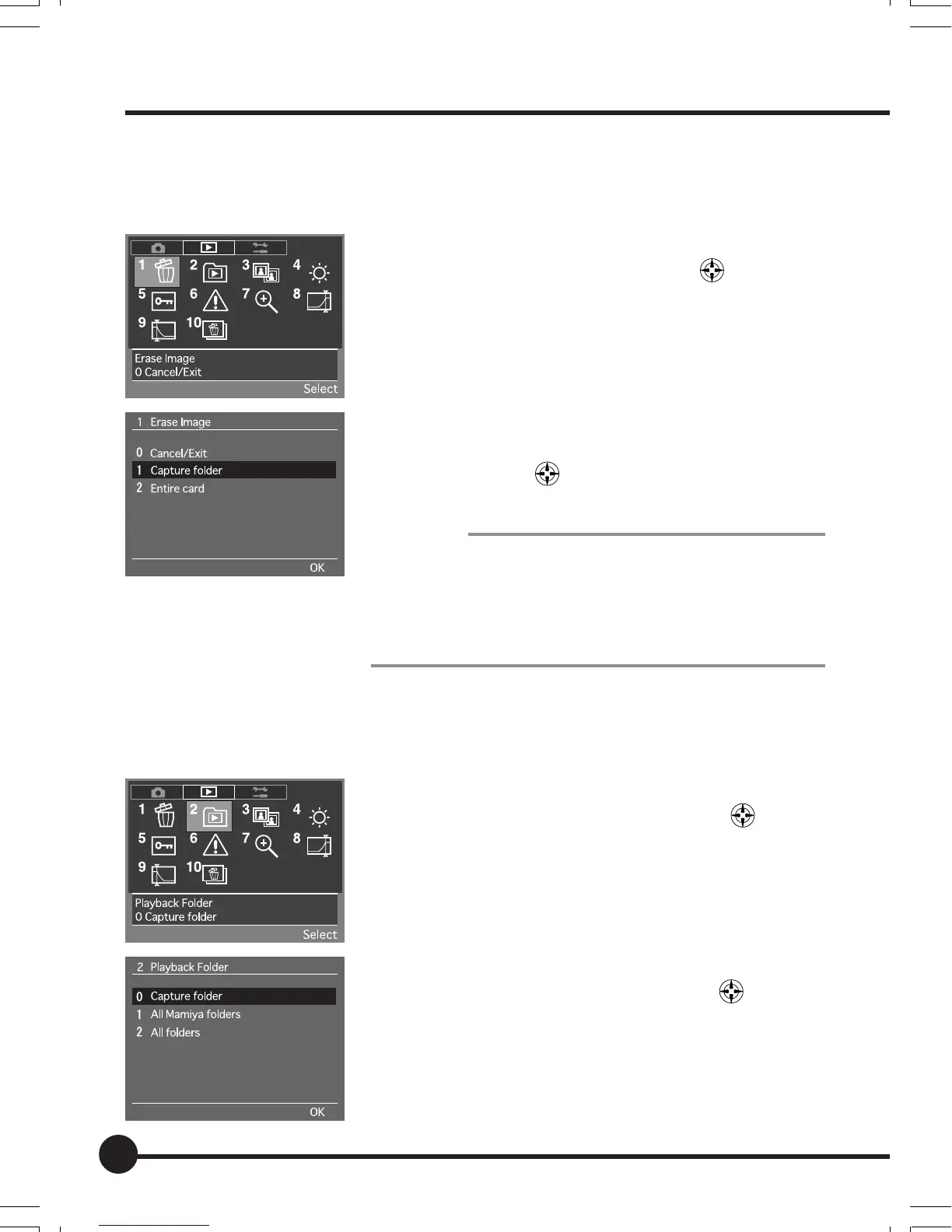
[1] Erase Image
Images stored in either each individual folder or the entire contents of the
memory card are erased on this menu.
1 Select the Playback Menu, and then select [1
Erase Image] with the toggle key
.
2 Press the OK button.
3 Select erasing the contents of the folder or eras-
ing all images stored on the memory card, with
the toggle key
.
4 Press the OK button to erase the images.
Important:
• When Deleting All Images at a Time
When the [2 All folders] has been select and all images are
erased at a time, note that all images in the folder currently
being played back will be erased together will all images in
every other folder. Images that have been deleted cannot
be restored.
[2] Playback Folder
This menu selects the folder for which images stored on the memory card are
to be played back. The default setting is [Capture folder].
1 Select the Playback Menu, and then select [2
Playback Folder] with the toggle key
.
2 Press the OK button.
3 Select the folder in which the images to be played
back are stored with the toggle key
.
4 Press the OK button.
06_ZD back_E_p067-082 07/3/9, 20:4268



 To Next Page