69
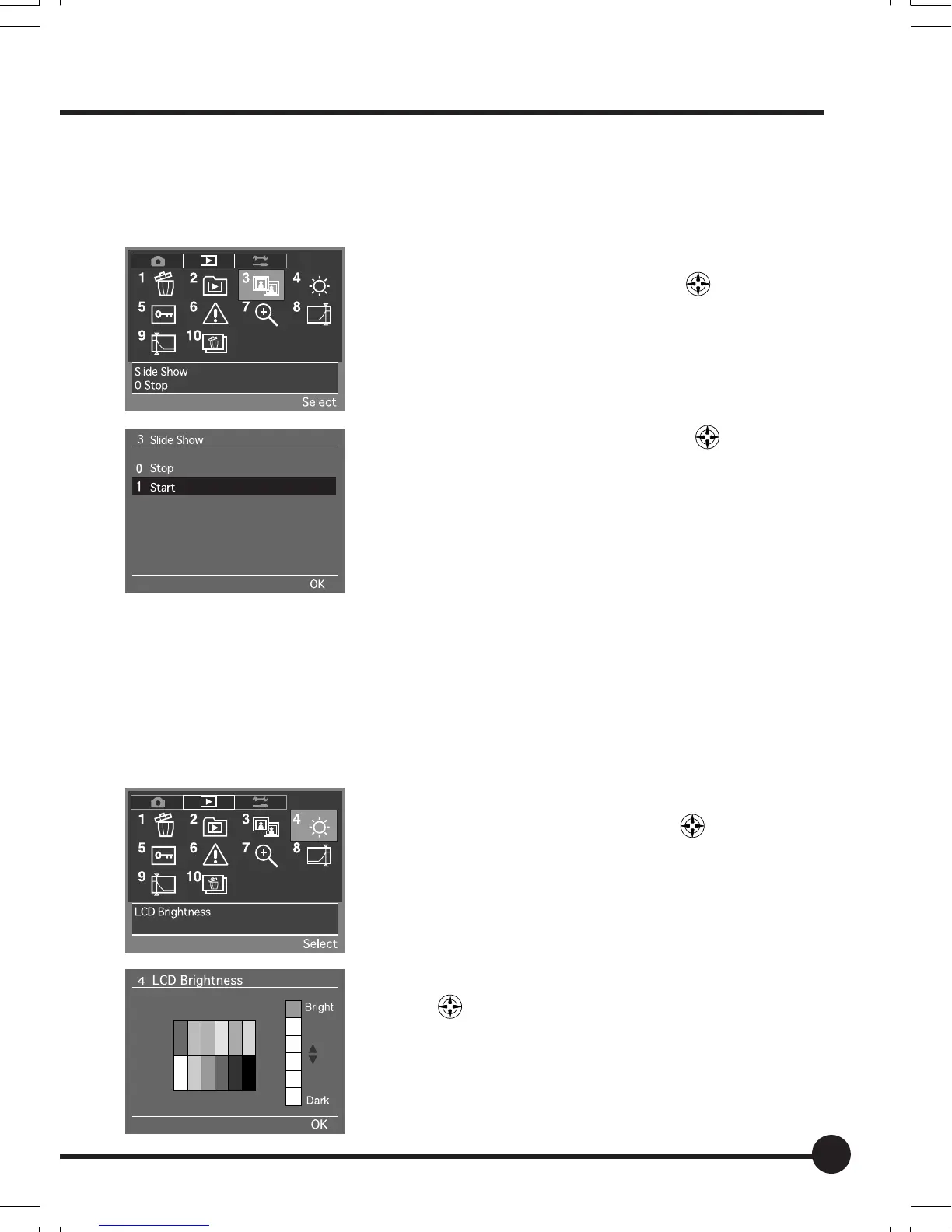
[3] Slide Show
This activates the slide show in which the images stored on the memory card
are displayed sequentially.
1 Select the Playback Menu, and then select [3
Slide Show] with the toggle key
.
2 Press the OK button.
3 Select [Start] with the toggle key .
4 Press the OK button to start the slide show. Press
the Cancel button to end the slide show.
[4] LCD Brightness
This adjusts the brightness of the LCD monitor. The brightness can be ad-
justed to six different stages to match the environment in which images are
being played back. The adjustments are made with the use of the toggle key.
The default setting is the brightest display.
1 Select the Playback Menu, and then select [4 LCD
Brightness] with the toggle key
.
2 Press the OK button.
3 Adjust the brightness level with the toggle
keys
.
4 Press the OK button.
06_ZD back_E_p067-082 07/3/9, 20:4269



 To Next Page