71
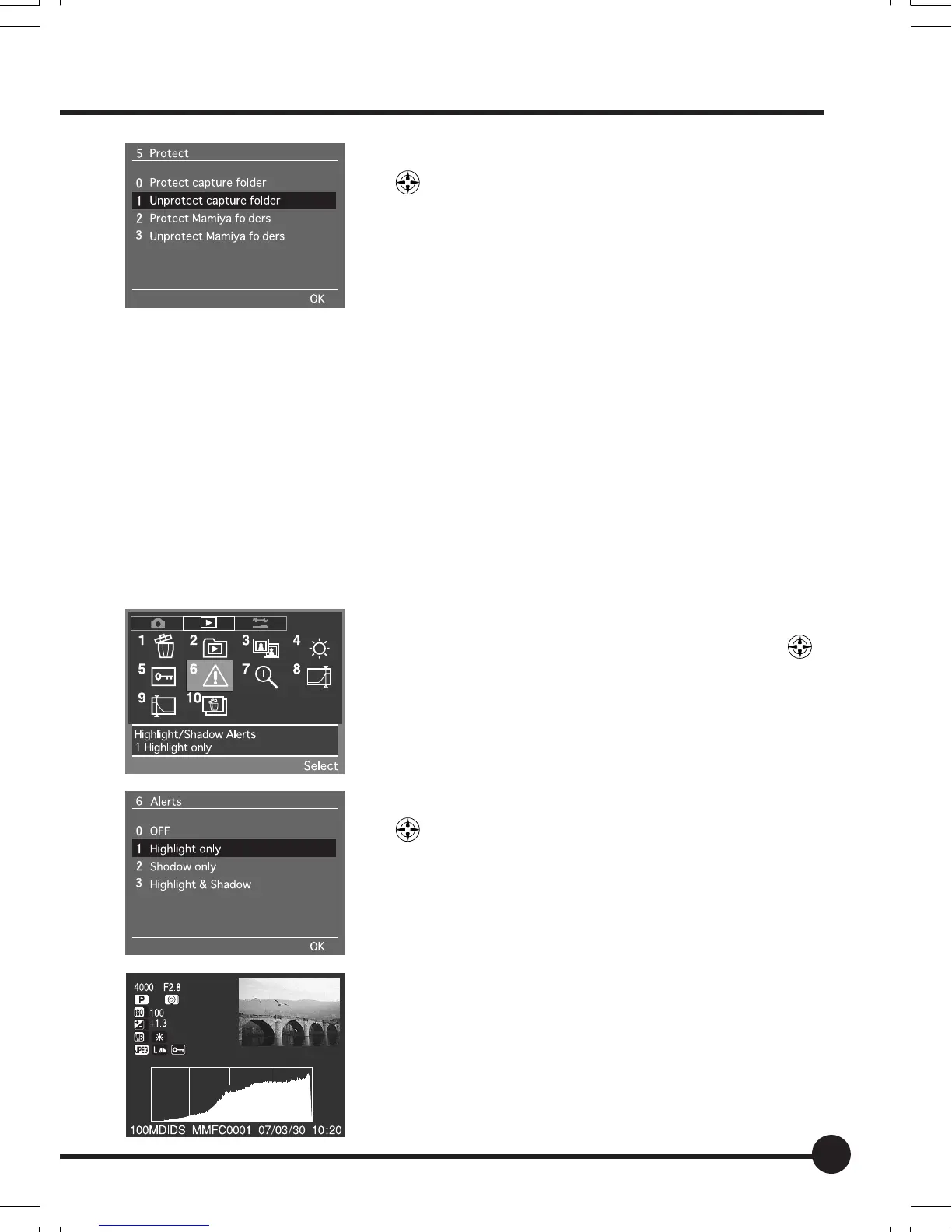
3 Select the required parameter with the toggle keys
.
4 Press the OK button to activate the protection
function.
* Protected images cannot be erased.
[6] Highlight/Shadow Alerts
This establishes the setting to display highlight and shadow alerts in order to
avoid the white blurs caused by over-exposures and black smudging caused
by under-exposures when preview format Type 3 has been selected with [6
Image Review] on the Setup Menu.
These alerts can be selected for highlights only, shadows only, or both high-
lights and shadows.
White blurs and black smudges will flash when this has been activated, provid-
ing an indication that exposure compensation needs to be carried out. The
default setting is [No].
1 Select the Playback Menu, and then select [6
Highlight/Shadow Alerts] with the toggle key
.
2 Press the OK button.
3 Select the required parameter with the toggle keys
.
4 Press the OK button.
• The highlight/shadow alerts for played-back images are
displayed with preview format Type 3, which has been
selected with [6 Image Review] on the Setup Menu.
06_ZD back_E_p067-082 07/3/9, 20:4271



 To Next Page