72
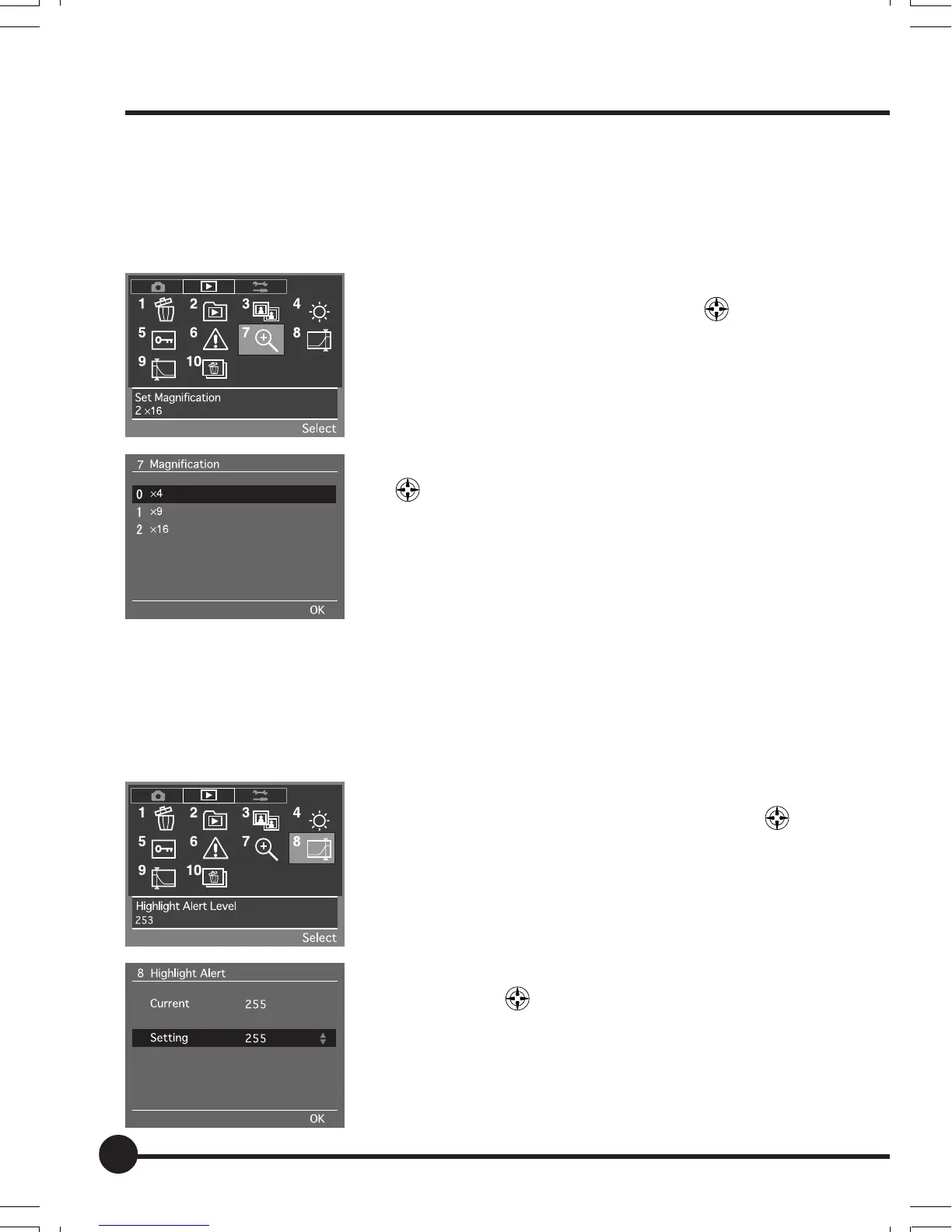
[7] Set Magnification
This sets the magnification ratio for enlarging a certain area of an image being
played back with the use of the ZOOM button. You can choose from three
magnification levels: x4, x9 and x16. The default setting is [x4].
1 Select the Playback Menu, and then select [7 Set
Magnification] with the toggle key
.
2 Press the OK button.
3 Select the required parameter with the toggle keys
.
4 Press the OK button.
[8] Highlight Alert Level
This sets the level of the highlight for which an alert is to be displayed when the
highlight and shadow alert function has been activated. The value for this can
be set within a range of 255 to 246. The default setting is [255].
1 Select the Playback Menu, and then select [8
Highlight Alert Level] with the toggle key
.
2 Press the OK button.
3 Select the required highlight alert level with the
toggle keys
.
4 Press the OK button.
Playback Menu
06_ZD back_E_p067-082 07/3/9, 20:4272



 To Next Page