73
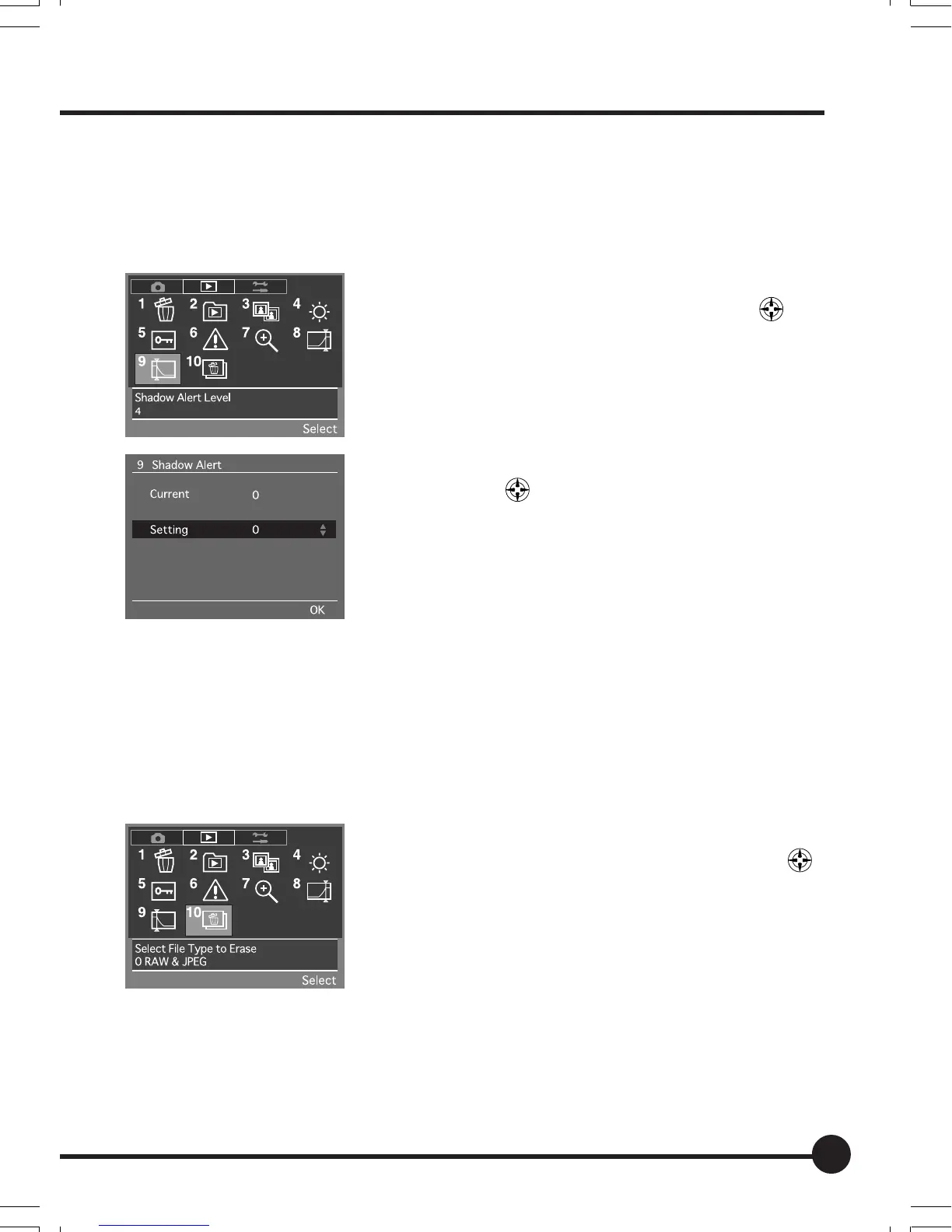
[9] Shadow Alert Level
This sets the level of the shadow for which an alert is to be displayed when the
highlight and shadow alert function has been activated. The value for this can
be set within a range of 0 to 9. The default setting is [0].
1 Select the Playback Menu, and then select [9
Shadow Alert Level] with the toggle key
.
2 Press the OK button.
3 Select the required shadow alert level with the
toggle keys
.
4 Press the OK button.
[10] Select File Type to Erase
This sets the method in which RAW images and JPEG images stored simulta-
neously on the memory card are to be erased. The method selected here will
be used when erasing single images and when erasing all images. Also, the
parameter set here is only used for erasing images taken simultaneously. The
default setting is [RAW & JPEG].
1 Select the Playback Menu, and then select [10
Select File Type to Erase] with the toggle key
.
2 Press the OK button.
06_ZD back_E_p067-082 07/3/9, 20:4273



 To Next Page