76
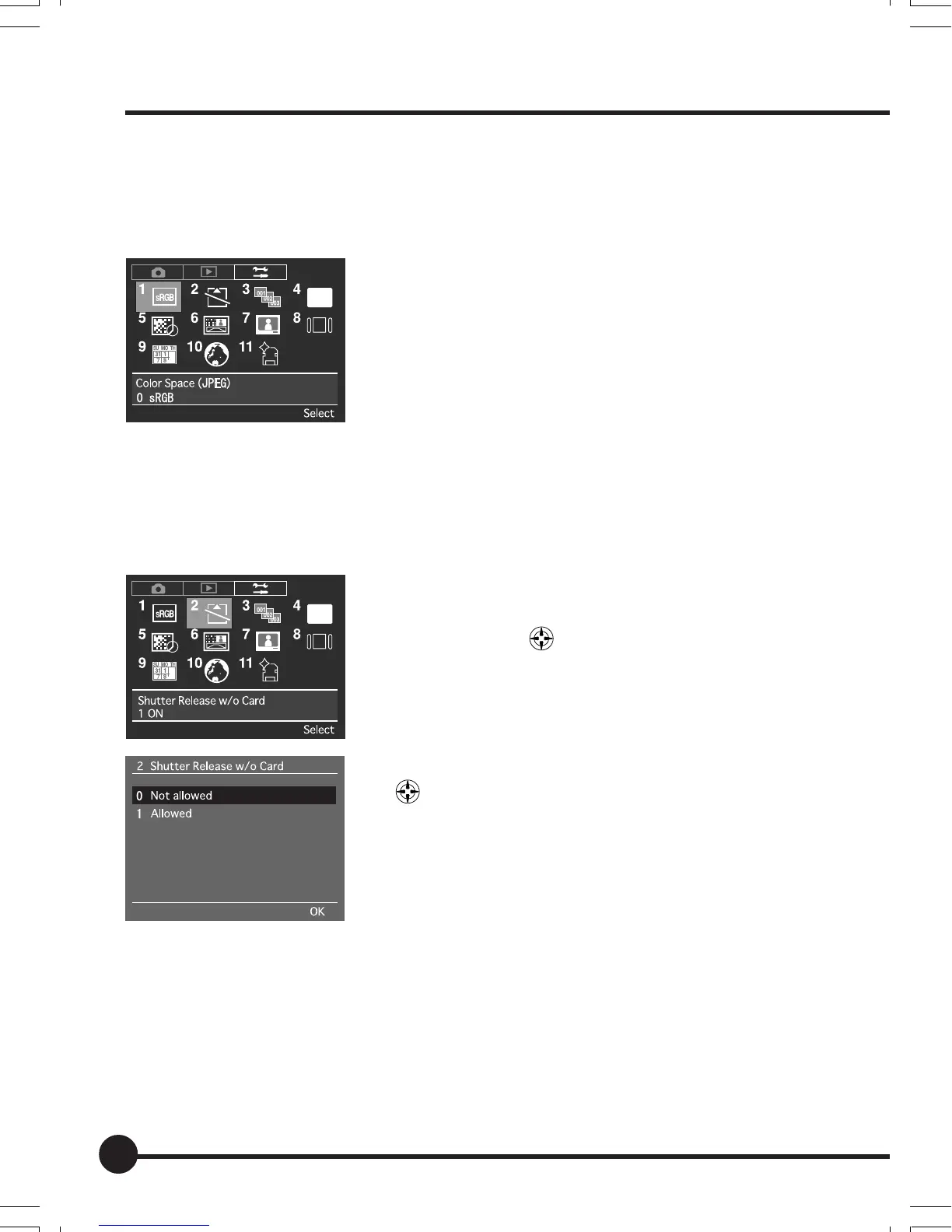
[1] Color Space (JPEG)
The color space for images to be recorded in the JPEG format is set up on this
menu. The default setting is [sRGB].
See “Basic Setup: Color Space” (page 37) for fur-
ther details.
[2] Shutter Release w/o Card
Sets whether the shutter release is to be deactivated or not when no memory
card has been inserted into the camera. The default setting is [Not allowed].
1 Press the MENU button, and then select [2 Shut-
ter Release w/o Card] on the Setup Menu with
the toggle key
.
2 Press the OK button.
3 Select either [Yes] or [No] with the toggle keys
.
4 Press the OK button.
Setup Menu
06_ZD back_E_p067-082 07/3/9, 20:4276



 To Next Page