77
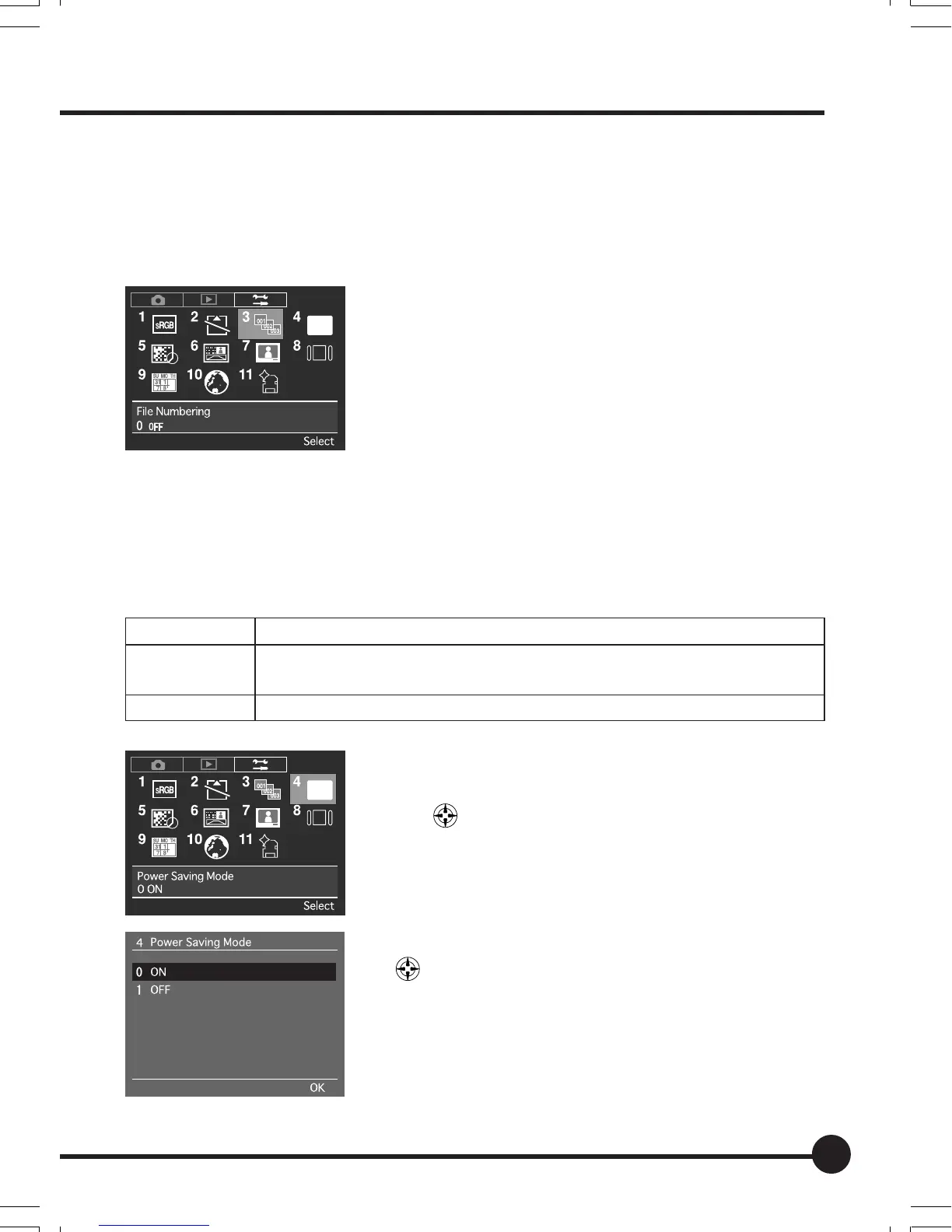
[3] File Numbering
Sets whether or not to save images under sequential file numbers even when
the memory card or folder is changed.
The default setting is [OFF].
See “Basic Setup: File Numbering” (page 64) for
further details.
[4] Power Saving Mode
This setting activates the low-power consumption mode to restrain battery con-
sumption.
The default setting is [ON].
Parameter Details
ON:
Activates the low-power consumption mode, but it slows down the activation
of the sleep mode.
OFF: Activation from the sleep mode is speeded up.
1 Press the MENU button, and then select [4 Power
Saving Mode] on the Setup Menu with the toggle
key
.
2 Press the OK button.
3 Select either [ON] or [OFF] with the toggle keys
.
4 Press the OK button.
06_ZD back_E_p067-082 07/3/9, 20:4277



 To Next Page