81
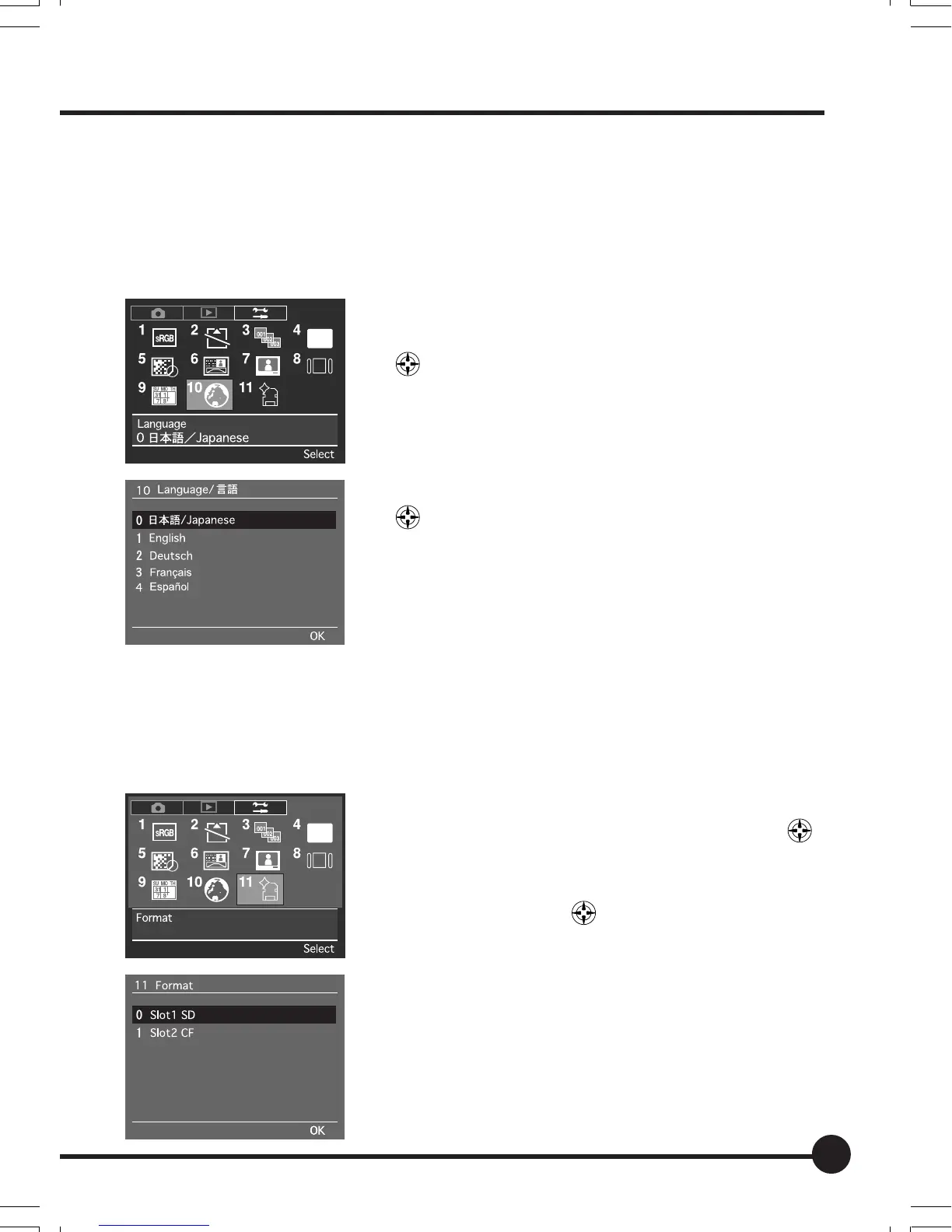
[10] Language
This menu sets the language to be used on the menu screens displayed on the
LCD monitor. A total of five different languages can be selected; Japanese,
English, German, French and Spanish.
The default setting is [Japanese].
1 Press the MENU button, and then select [10 Lan-
guage] on the Setup Menu with the toggle key
.
2 Press the OK button.
3 Select the required language with the toggle keys
.
4 Press the OK button.
[11] Format
Memory cards must be formatted before they can be used. The formatting
procedure is performed from this menu.
1 Press the MENU button, and then select [11 For-
mat] on the Setup Menu with the toggle key
.
2 Press the OK button.
3 Select the memory card that is to be formatted
with the toggle key
.
4 Press the OK button.
A message to confirm that formatting is to be per-
formed will be displayed.
5 Press the OK button to start the formatting proc-
ess. Press the Cancel button to abort formatting.
06_ZD back_E_p067-082 07/3/9, 20:4281



 To Next Page