80
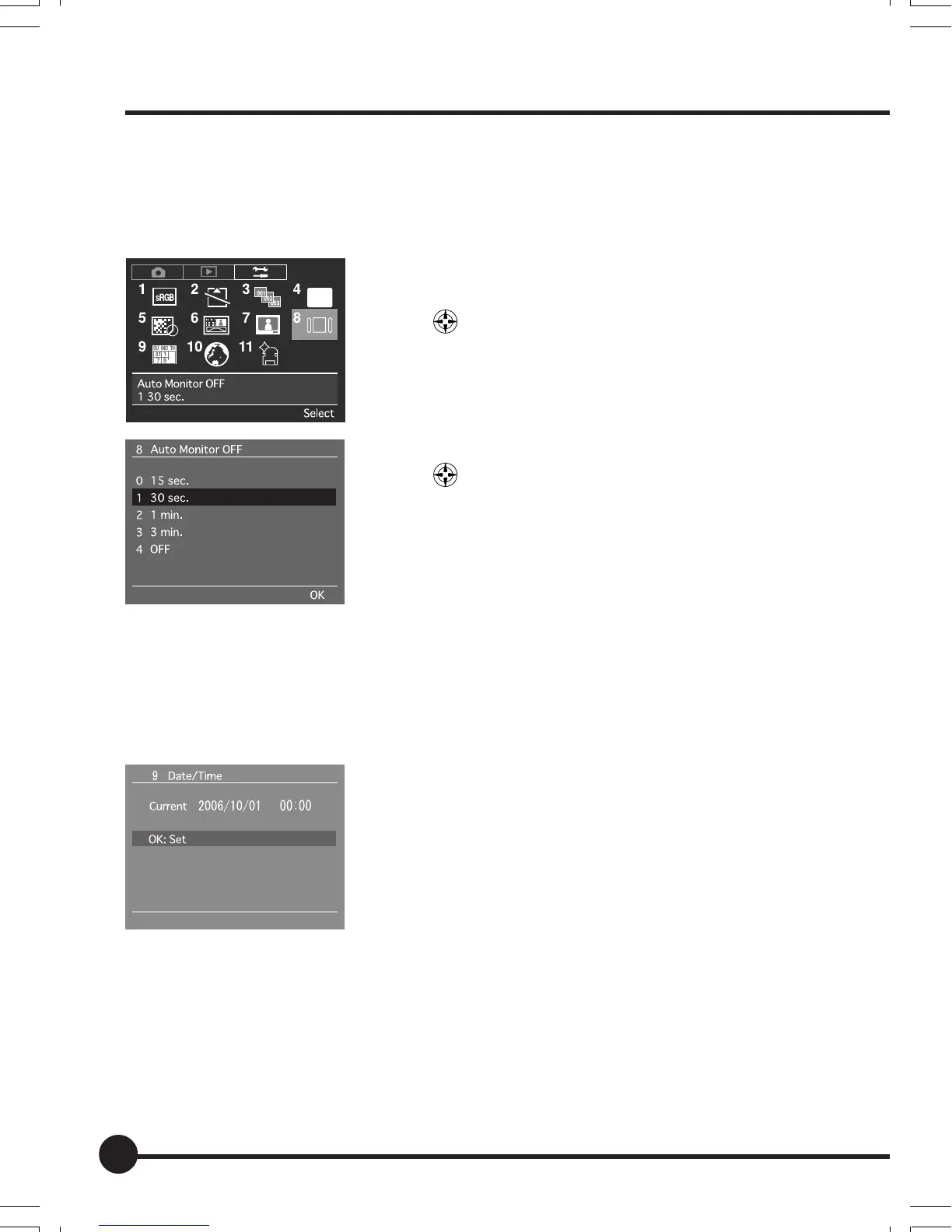
[8] Auto Monitor OFF
This menu sets the display time for displaying playback images and menu
screens on the digital LCD display. The default setting is [15 sec.].
1 Press the MENU button, and then select [8 Auto
Monitor OFF] on the Setup Menu with the toggle
key
.
2 Press the OK button.
3 Select the required display time with the toggle
key
.
4 Press the OK button.
* When [4 OFF] has been selected, the display will con-
tinue until the power is switched off or the shutter button
pressed half-way down. But battery power is consumed
more quickly.
[9] Set Date/Time
Sets the date and time to be recorded when an image is taken.
See (page 25) for further details.
Setup Menu
06_ZD back_E_p067-082 07/3/9, 20:4280



 To Next Page