86
Connecting to the PC
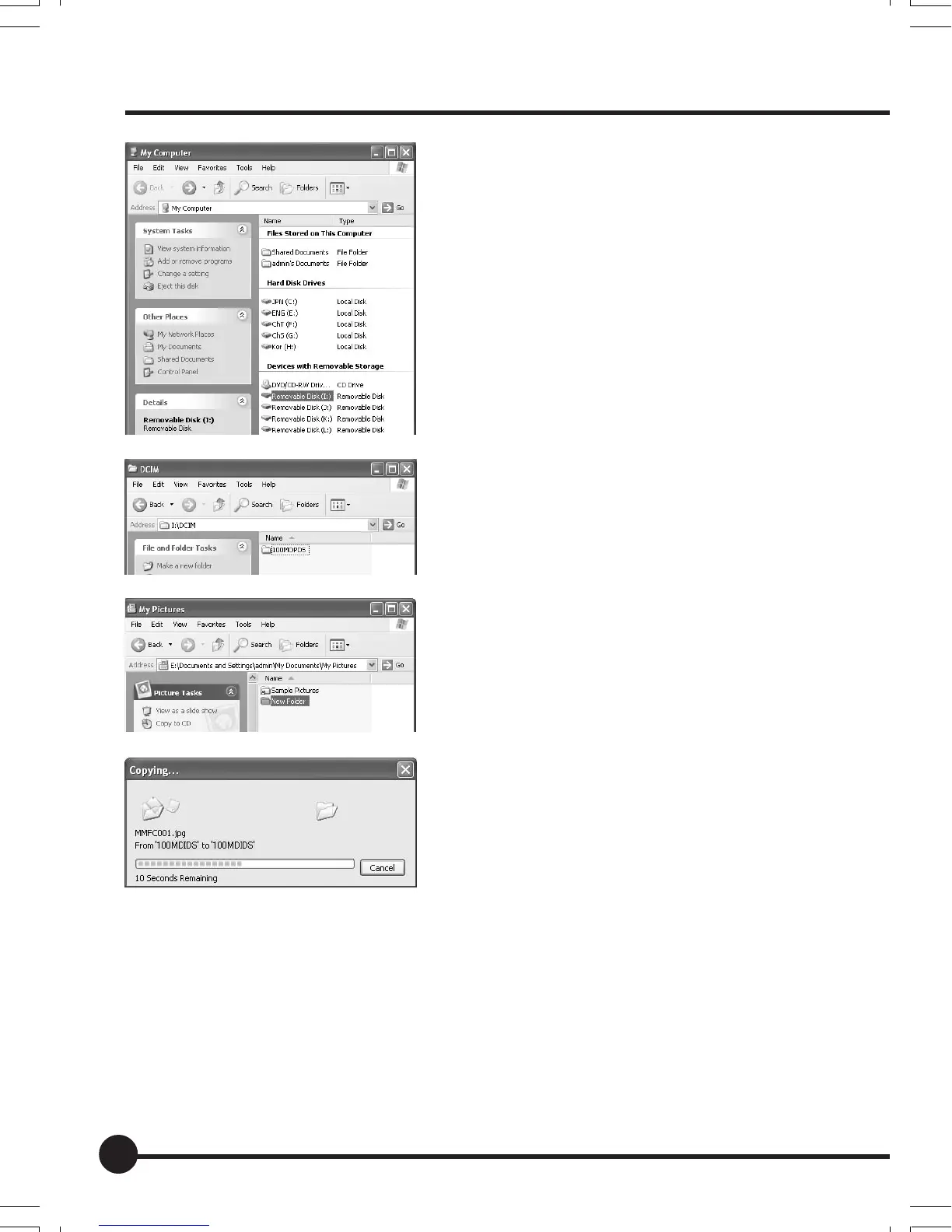
1. Connect the card reader to the PC.
2. Open the My Computer folder and
double click on the card reader drive.
3. Double click on Mamiya Folder DCIM
to display the folders containing im-
ages.
4. Open My Documents — My Pictures
and create a [New Folder].
5. Drag and drop the folder containing
the images to [New Folder].
Tr ansfer of the images starts.
Changing the name of the transferred
folder to the shooting date or place will
facilitate management of your pictures.
07_ZD back_E_p083-088 07/3/9, 20:4386



 To Next Page