112
Registering preset codes
Delete saved remote control codes
Codes can be erased in three ways: by buttons, sources, and by all
memory contents.
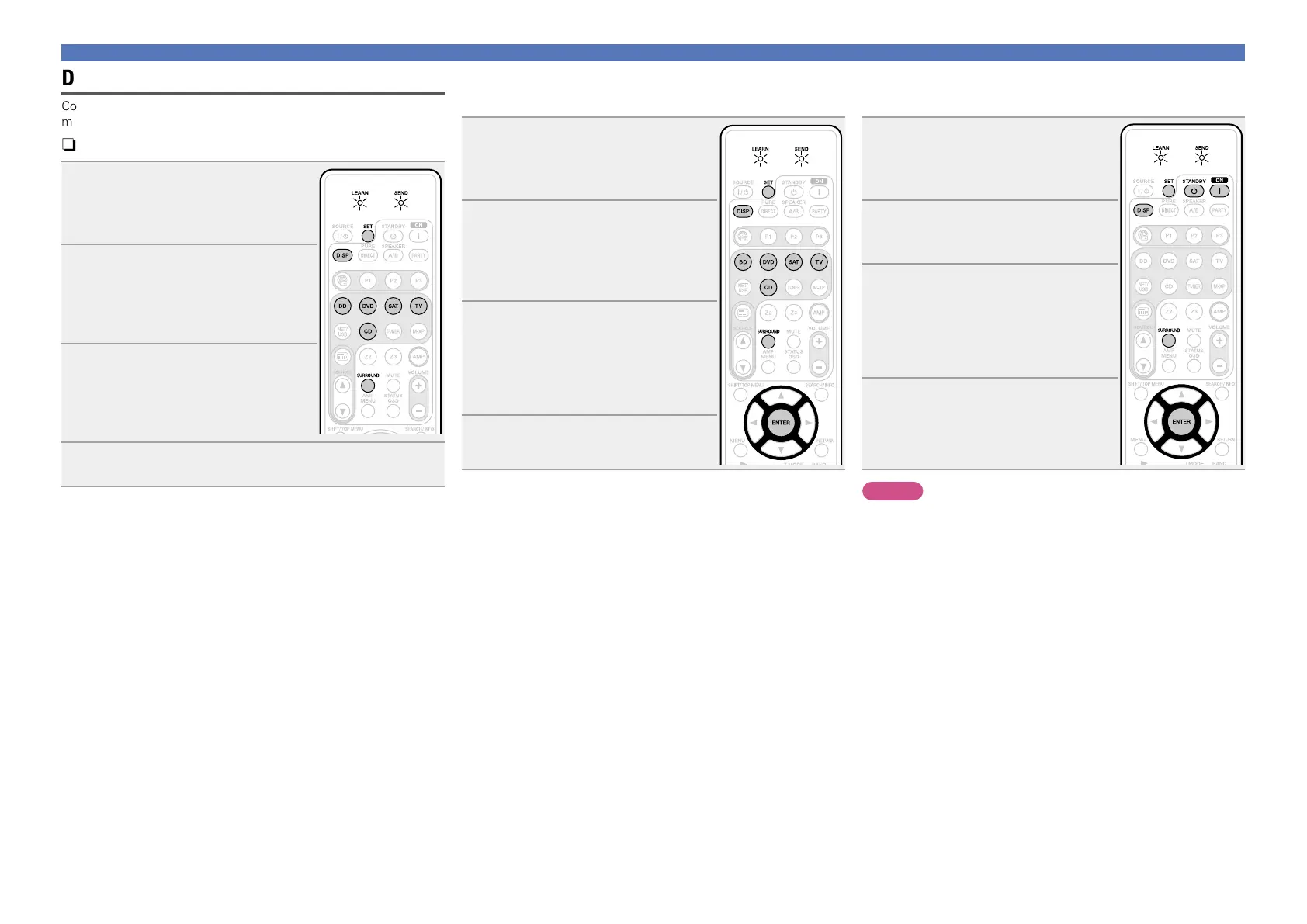
nDelete remote control codes for each button
1
Press and hold down SET and
SURROUND until the LEARN
indicator blinks.
The LEARN indicator blinks.
2
Press input source select buttons
(BD, DVD, SAT, TV or CD) to
select the input source you want
to delete.
The SEND indicator blinks twice.
3
Press and hold down DISP and
press the learned button to be
erased twice.
The SEND indicator blinks twice and the
mode returns to LEARN mode.
4
To return the normal mode, press SET.
nDelete remote control codes for each input
source
1
Press and hold down SET and
SURROUND until the LEARN
indicator blinks.
The LEARN indicator blinks.
2
Press and hold down DISP and
press the learned input source
select buttons (BD, DVD, SAT,
TV, or CD) to be erased twice.
The LEARN indicator lights.
3
Press ENTER.
The SEND indicator blinks twice and the
mode returns to LEARN mode.
•To cancel the erasing operation, do not
press
ENTER, and simply press any other
button.
4
To return the normal mode,
press SET.
nDelete remote control codes for all input
sources
1
Press and hold down SET and
SURROUND until the LEARN
indicator blinks.
The LEARN indicator blinks.
2
Press and hold down DISP and
press ON Z and STANDBY X.
The LEARN indicator lights.
3
Press ENTER.
The SEND indicator blinks twice and the
mode returns to LEARN mode.
•To cancel the erasing operation, do not
press
ENTER, and simply press any other
button.
4
To return the normal mode,
press SET.
NOTE
Erasing codes will return to the factory preset code, or there will leave
empty if the button has no factory preset code.















 To Next Page