73
Playback in ZONE2 (Separate room)
•You can operate this unit so as to enjoy audio in a room (ZONE2)
other than the MAIN ZONE (room where the unit is located).
•You can simultaneously play back the same source in both the MAIN
ZONE, ZONE2. You can also play back separate sources in the MAIN
ZONE and ZONE2.
Audio output
Zone playback by speaker output
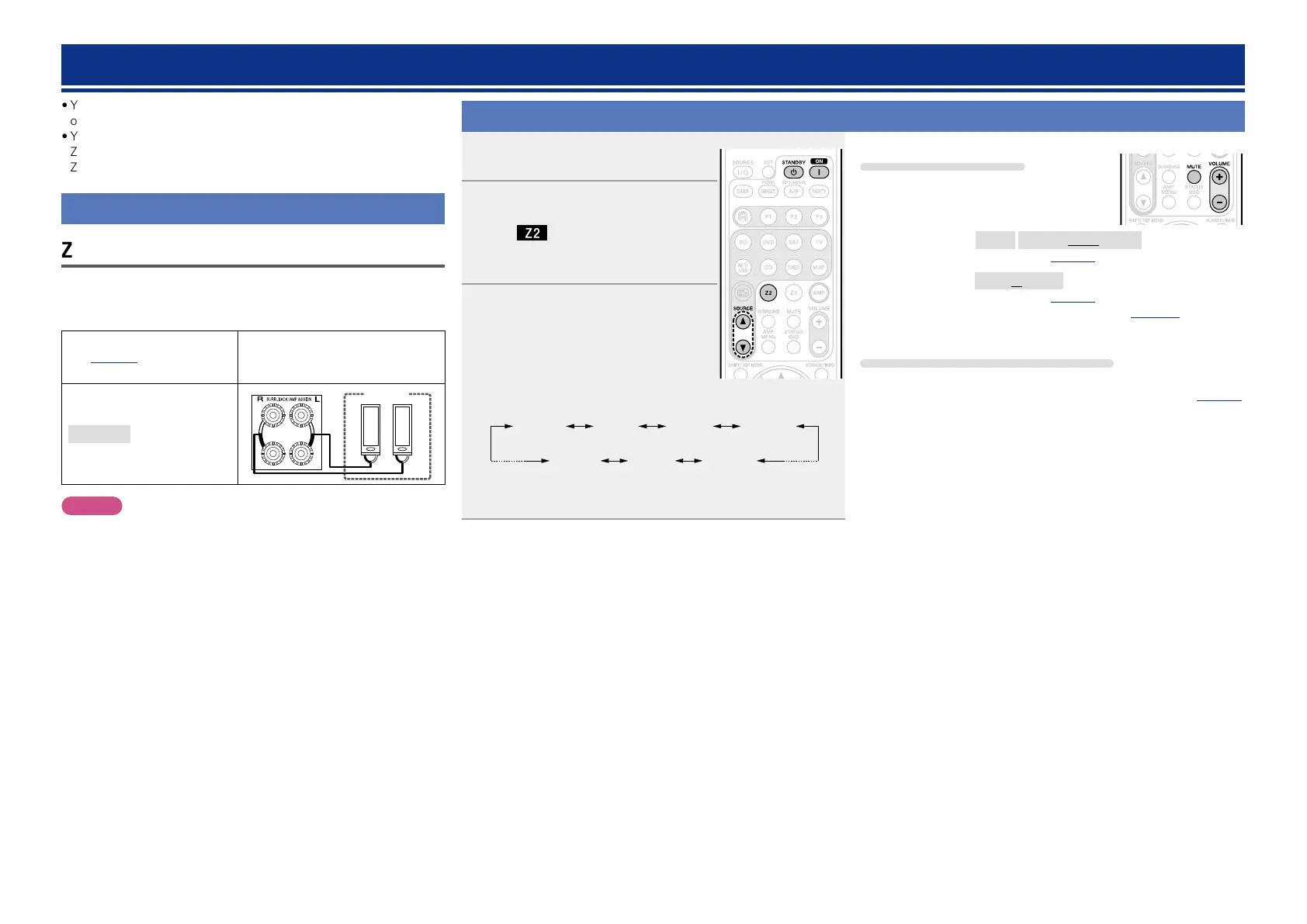
The ZONE2 audio signals are output from this unit’s SURR.BACK/AMP
ASSIGN speaker terminals using the amplifier assignment function.
nConnecting and setting the speakers
“Amp Assign” setting
(vpage87) and audio
signals output
Connecting the speakers
ZONE2
Output signal :
Stereo (L / R)
ZONE2
w q w q
(L) (R)
NOTE
It is not possible to play the digital audio signals input from the HDMI,
COAXIAL or OPTICAL connectors in ZONE2. Play using analog
connections (in stereo).
Playback
1
Press Z2 to set the remote control
unit to ZONE2-operation mode.
2
Press ON Z to turn on the ZONE2
power.
The indicator on the display lights.
•When
STANDBY X is pressed, ZONE2
turns off.
3
Press SOURCE d or SOURCE f.
The audio signal of the selected source
is output to ZONE2.
•Every time you press
SOURCE d or
SOURCE f, the input source switches in
the following order.
ZONE2
Source
ZONE2
BD
ZONE2
SAT
ZONE2
NET/USB
ZONE2
M-XPort
ZONE2
TUNER
ZONE2
CD
z
z When “ZONE2 Source” is selected, the input source for MAIN
ZONE will be assigned to ZONE2.
Adjusting the volume
Use VOLUME +, – to adjust the volume.
GAdjustable rangeH
– – –
–80dB – –40dB – 18dB
(When the “Volume Display” (vpage96) setting is “Relative”)
GAdjustable rangeH
0 – 41 – 99
(When the “Volume Display” (vpage96) setting is “Absolute”)
•At time of purchase, “Volume Limit” (vpage 95) is set to
“–10dB (71)”.
Turning off the sound temporarily
Press MUTE.
The sound is reduced to the level set at “Mute Level” (vpage95)
in the menu.
•To cancel, either adjust the volume or press MUTE again.
•The setting is canceled when the zone’s power is turned off.















 To Next Page